
1. Check the "Change Summary" at the top for added or deleted items and differences in expected shipping dates and amounts. 2. Compare the "Our Side" and "Other Party" data in the table below, checking the highlighted differences in "Expected Shipping Date (ETD)" first. When reviewing "Item Total (Excluding Additional Charges)", note that the amount does not include additional charges. 3. To edit your side's data, tap "Cancel" in the upper-left corner to return to the PI document page. After making changes, tap "Submit" as prompted in the window.
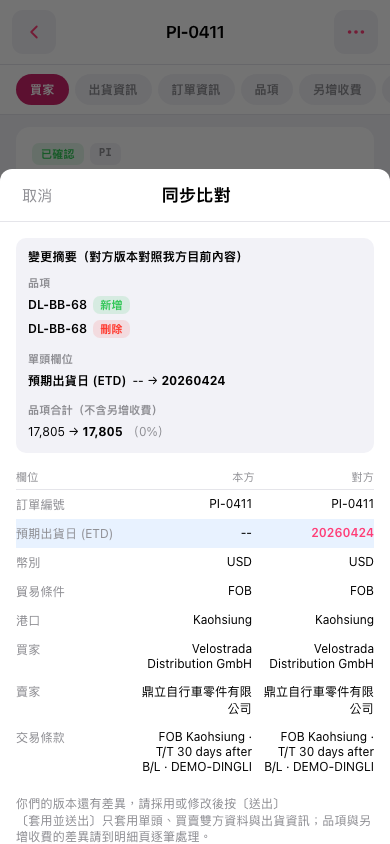 手機版|同步比對