
1. On the Proforma Invoice details page, first check the Proforma Invoice number, buyer, amount, and trading conditions. 2. Click "Edit" at the top right and edit the data that needs to be changed. 3. Check tabs such as "Shipping information" and "General PO information" to confirm the related data. If you need to view the changes, click "Diff view" at the top right. 4. After confirming the content, click "Submit" at the top right. If the page indicates there are unsubmitted changes, be sure to complete this step.
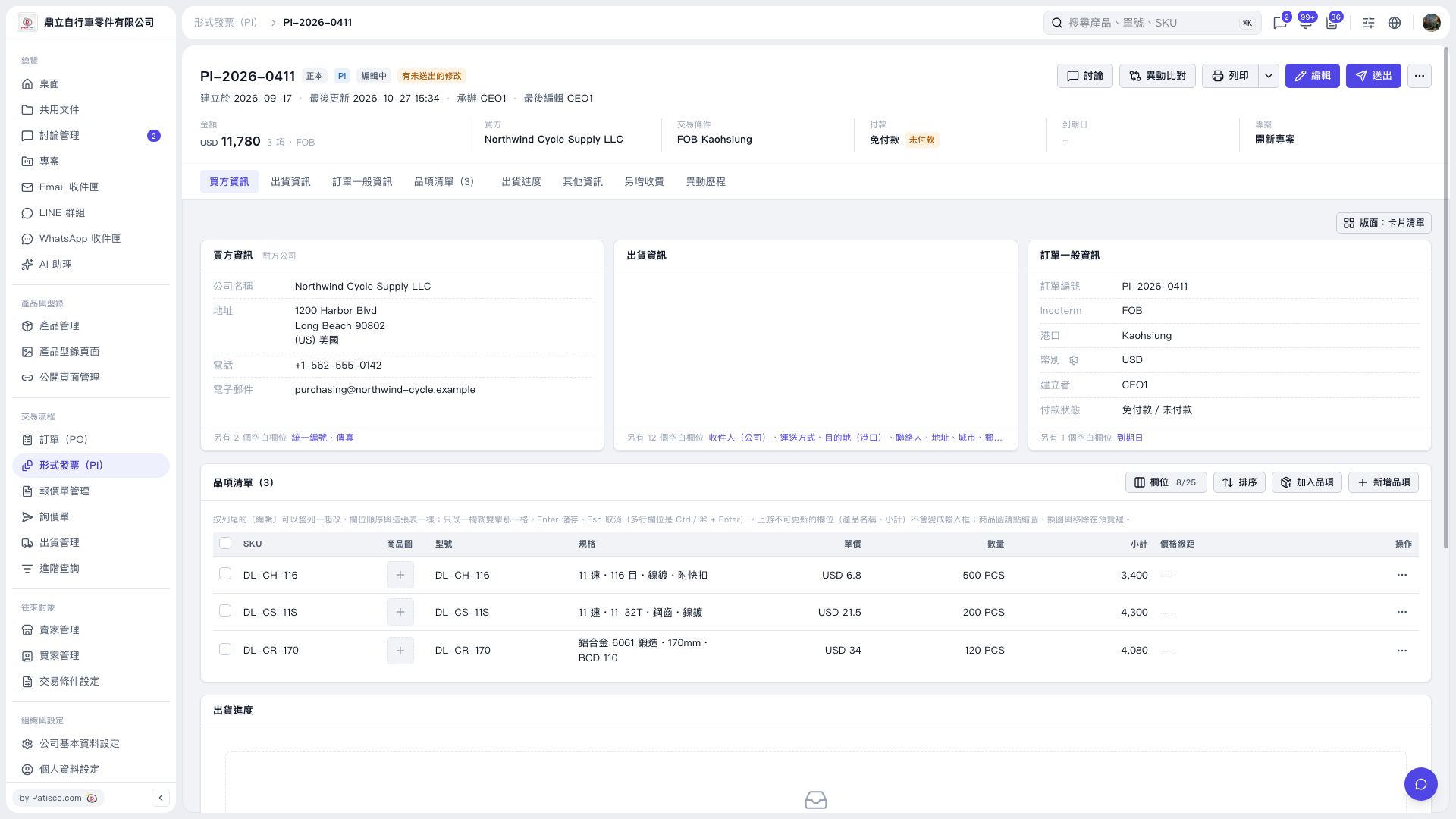 V5 新桌面版|形式發票(PI)詳情:PI-2026-0411