
1. On the desktop's "Analytics" page, find the "Documents to handle" section. 2. Check the documents marked "Past due" and "Needs sync", and use the document number, customer name, due date, and document status to confirm which items to handle. 3. Click the target document to open its details and continue with the next steps. 4. After returning to the desktop, click "Refresh" to update the data. You can also use "List / Timeline" to switch the display mode.
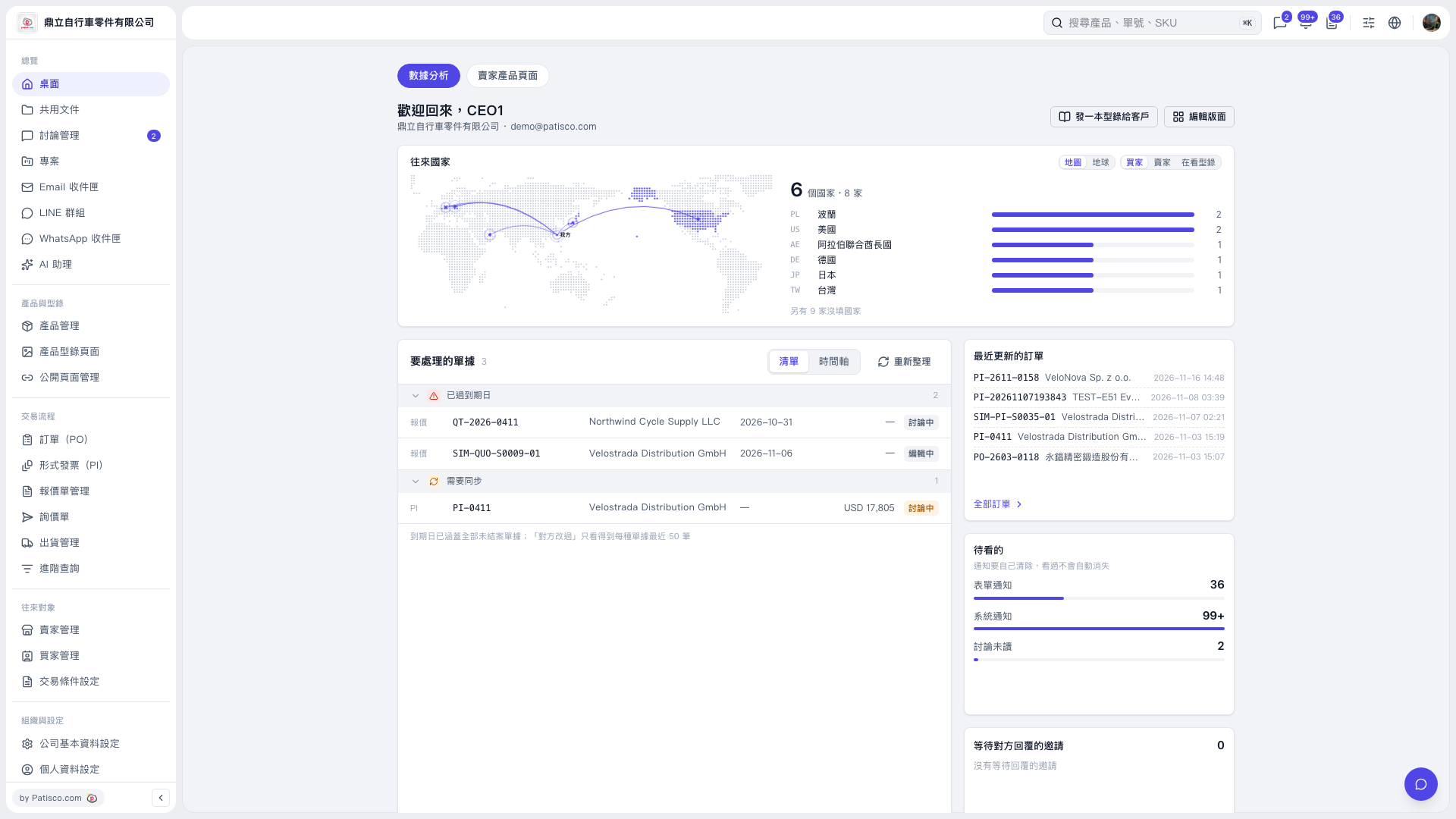 V5 新桌面版|桌面(數據分析)