
1. On the "Orders (PO)" page, click "Outgoing (PO)" to view the POs you issued to suppliers; click "Incoming (PO)" to view the POs you received. 2. Select a search field above the list, enter a keyword, and press Enter to search. You can also click "Filter" to set conditions. 3. Click the "Order number" in the list to view the details of that order. 4. You can ask the AI: "What is the difference between Outgoing and Incoming on this page?" 5. How the AI replies: "Outgoing are the POs you issue to suppliers; switch to 'Incoming (PO)' to view the copies of orders that customers issued to you."
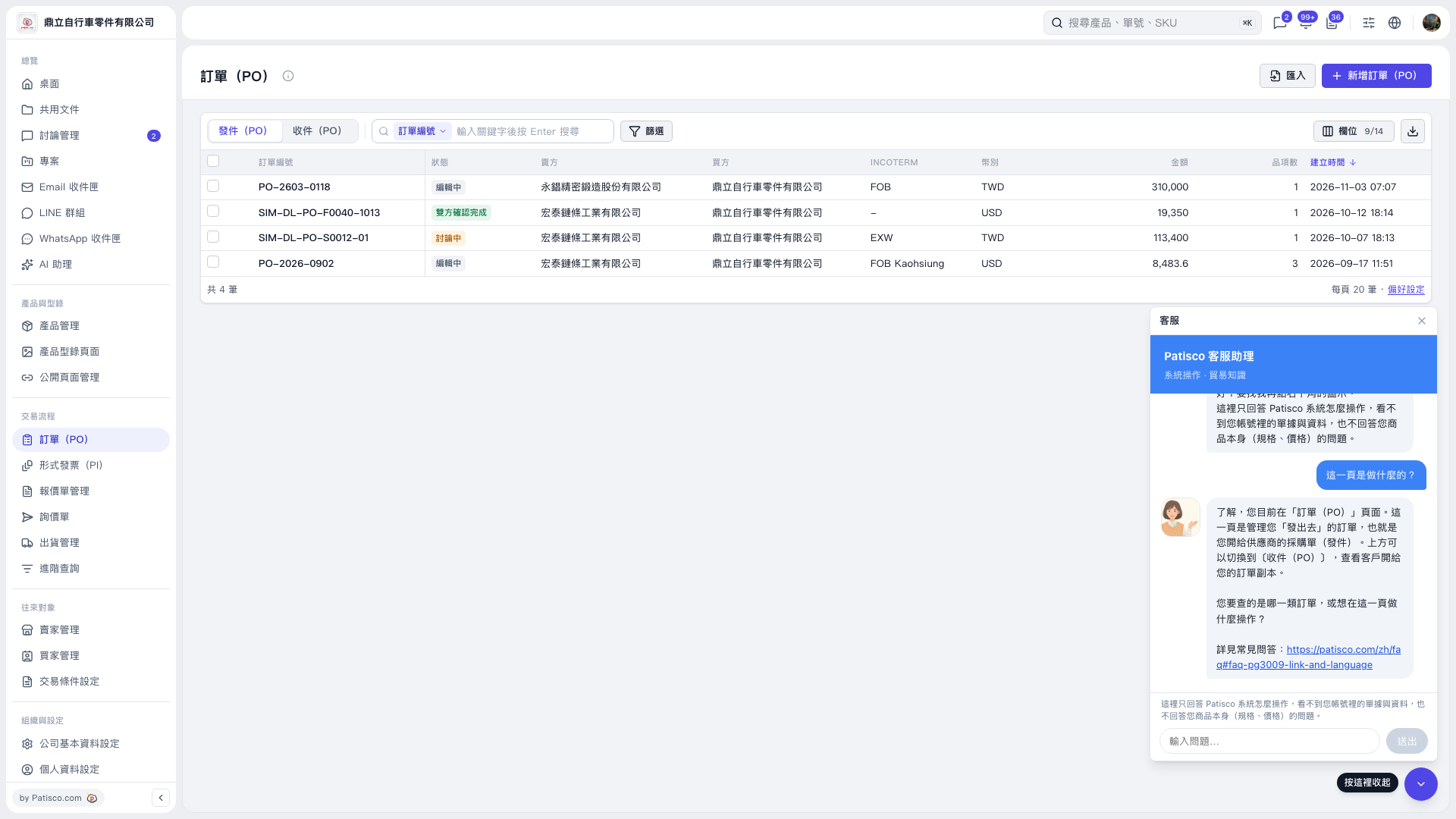 V5 新桌面版|訂單(PO)