
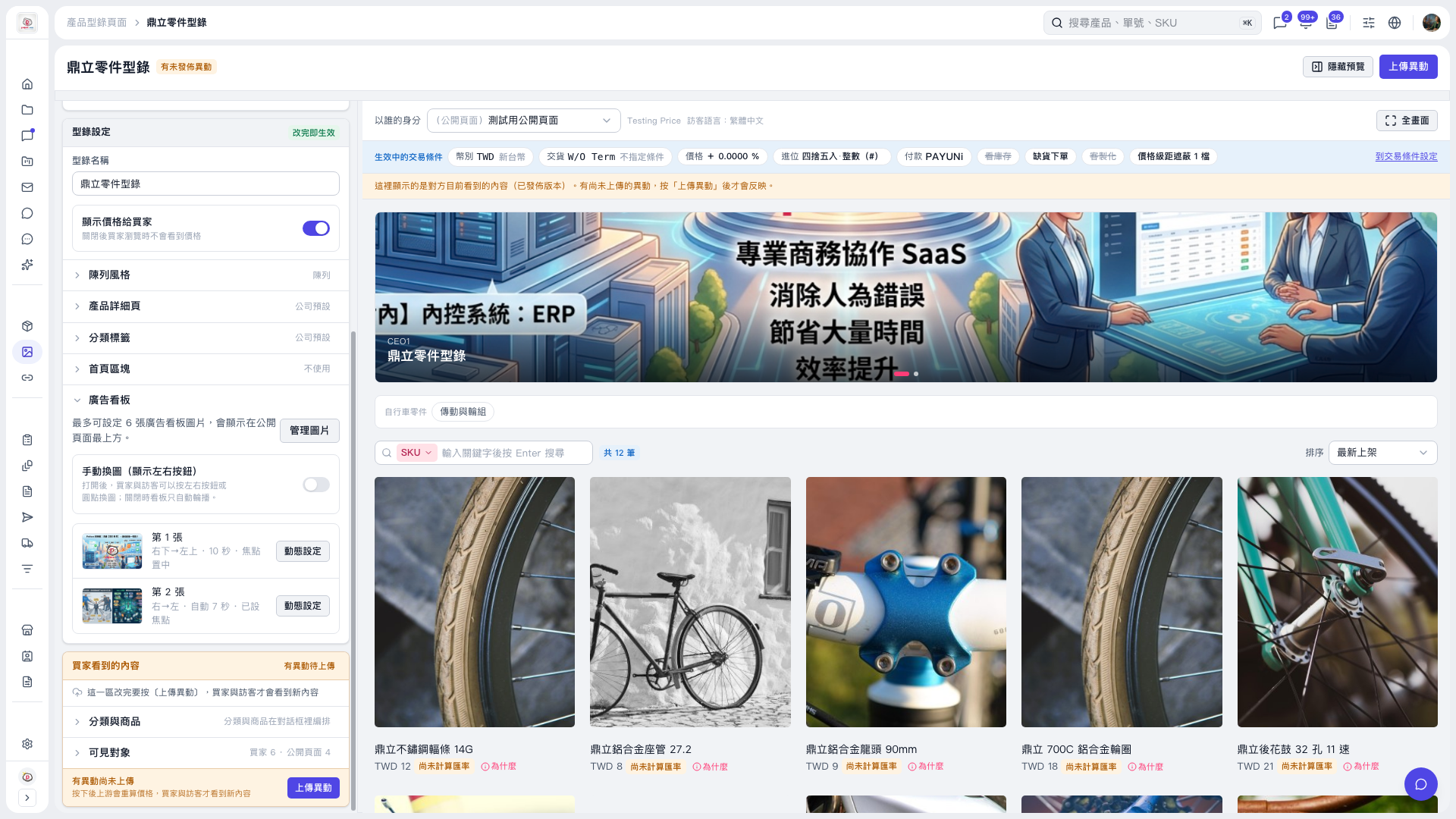
1. On the catalog page, expand "Banner" in the settings panel on the left to see the image and playback summary. 2. Currently, "Dingli Parts Catalog" has 2 banner images: the 1st moves from bottom-right to top-left, 10 seconds, focus centered; the 2nd moves from right to left, automatic duration, focus set. 3. To adjust an individual image, click "Motion settings" on the right of that image, then set the image transition direction, image display time, and image focus.
 V5 新桌面版|鼎立零件型錄