
1. In the "Banner" section on the left, click "Manage images" to manage the banner images. You can set up to 6. 2. Turn on "Manual image switching (show left/right buttons)" so buyers and visitors can switch images with the left/right buttons or the dots. This setting is currently off. 3. When you are done, click "Upload changes" to publish. The preview on the right shows the published version; changes that have not been uploaded will only appear after you publish.
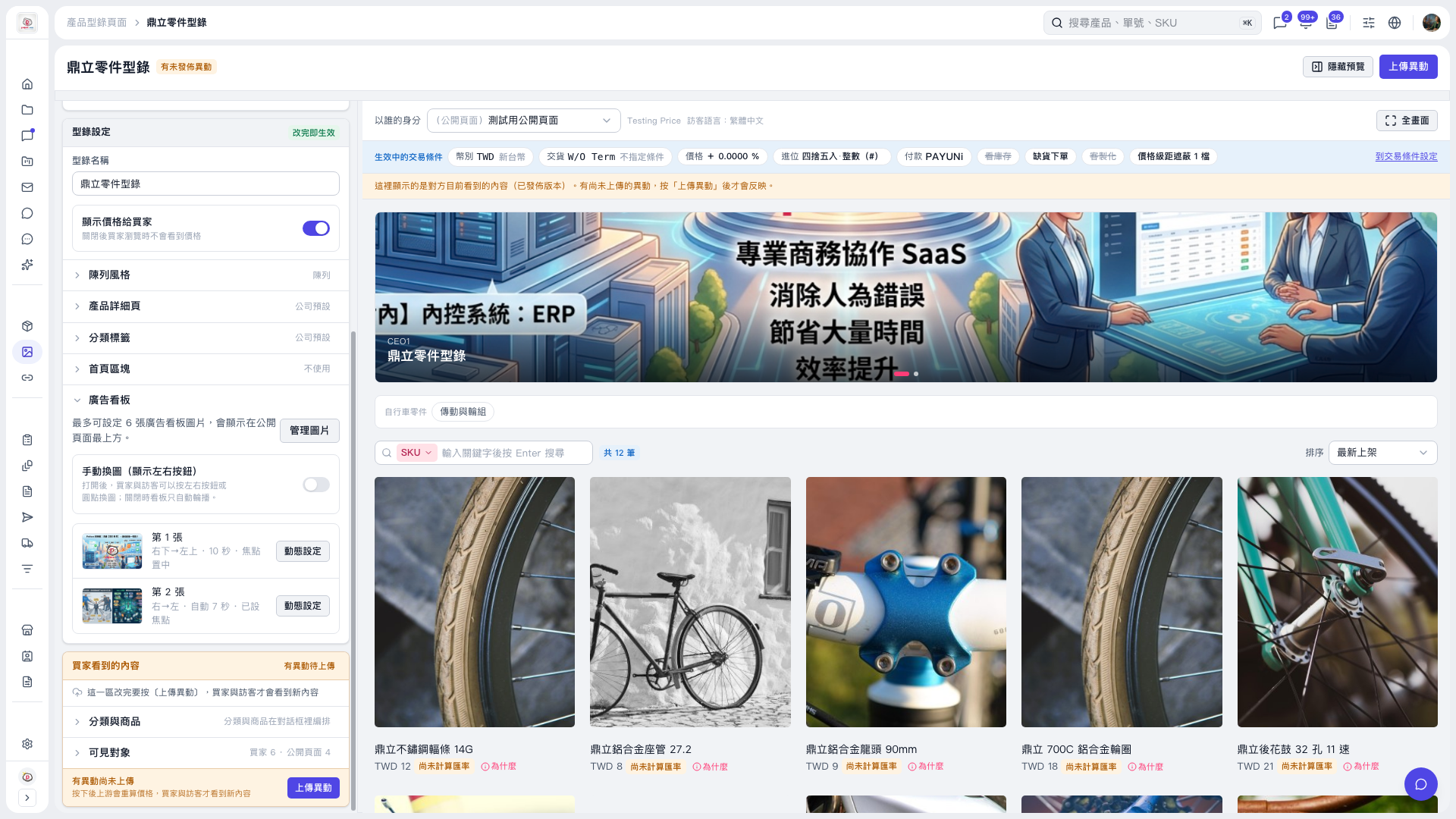 V5 新桌面版|鼎立零件型錄