
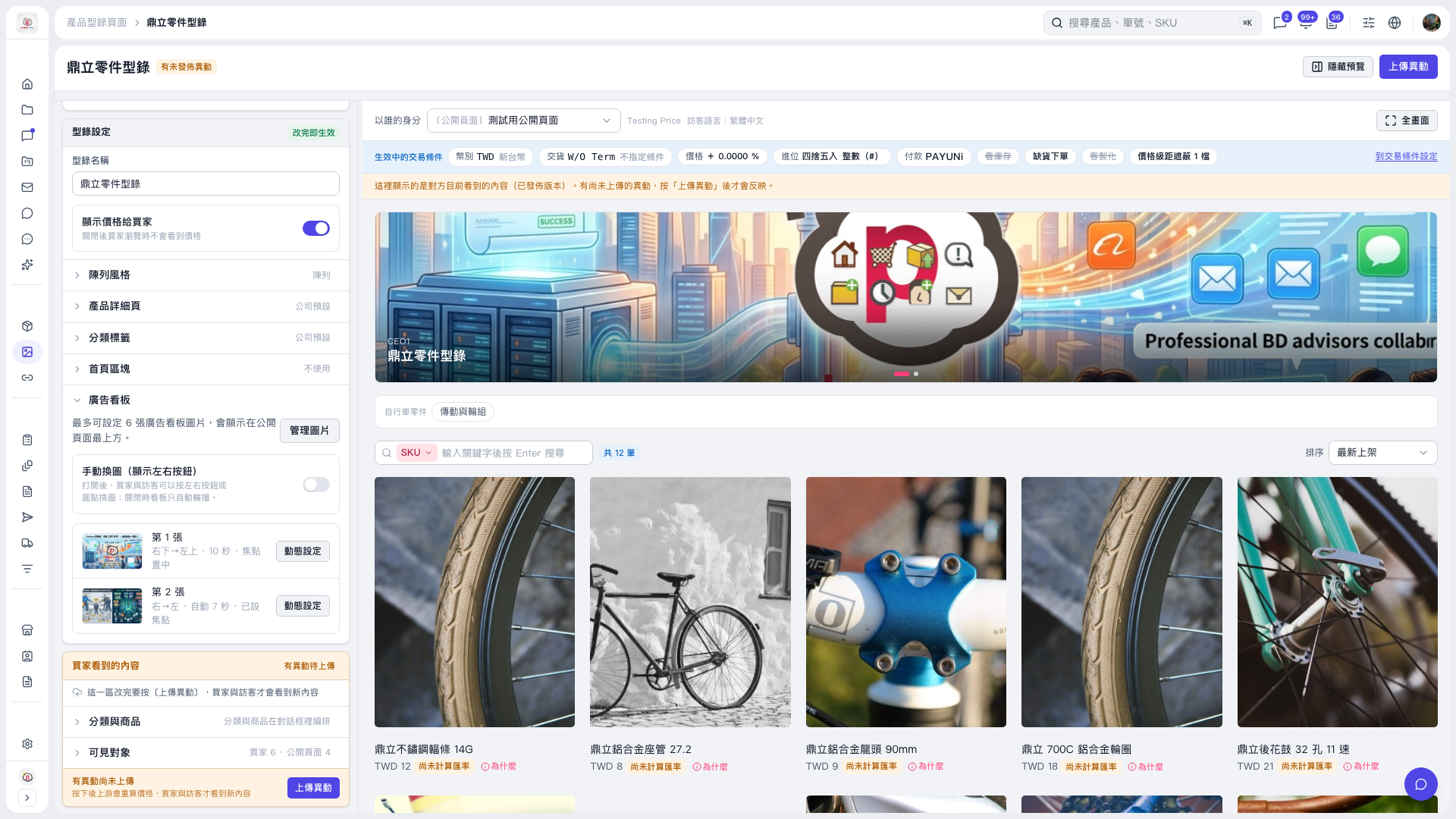
1. In the "Banner" section on the left side of the catalog edit page, turn on "Manual image switching (show left/right buttons)". 2. Once on, automatic rotation is turned off, and buyers and visitors can switch images with the left/right buttons or the dots. 3. Click "Upload changes" to publish this setting.
 V5 新桌面版|鼎立零件型錄