
1. In the "Banner" settings area on the left side of the catalog edit page, find "Manual image switching (show left/right buttons)". 2. Click the switch on the right to turn it on, so buyers and visitors can use the left/right buttons or the dots to switch banner images. When it is off, the banner only rotates automatically, and the dots are just indicators and cannot be clicked. 3. Click "Upload changes" to publish the setting; buyers and visitors will only see the update after that.
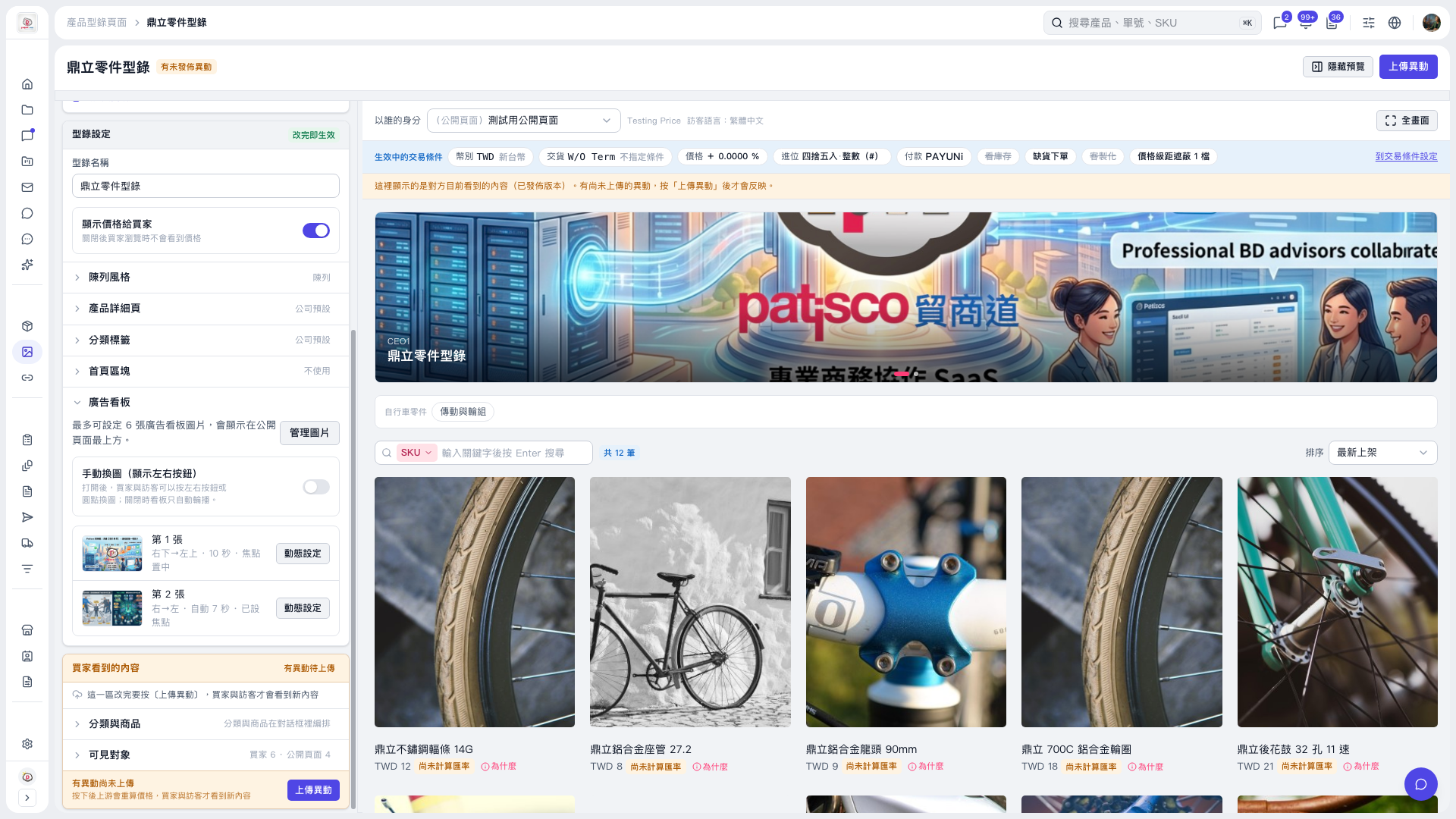 V5 新桌面版|鼎立零件型錄