
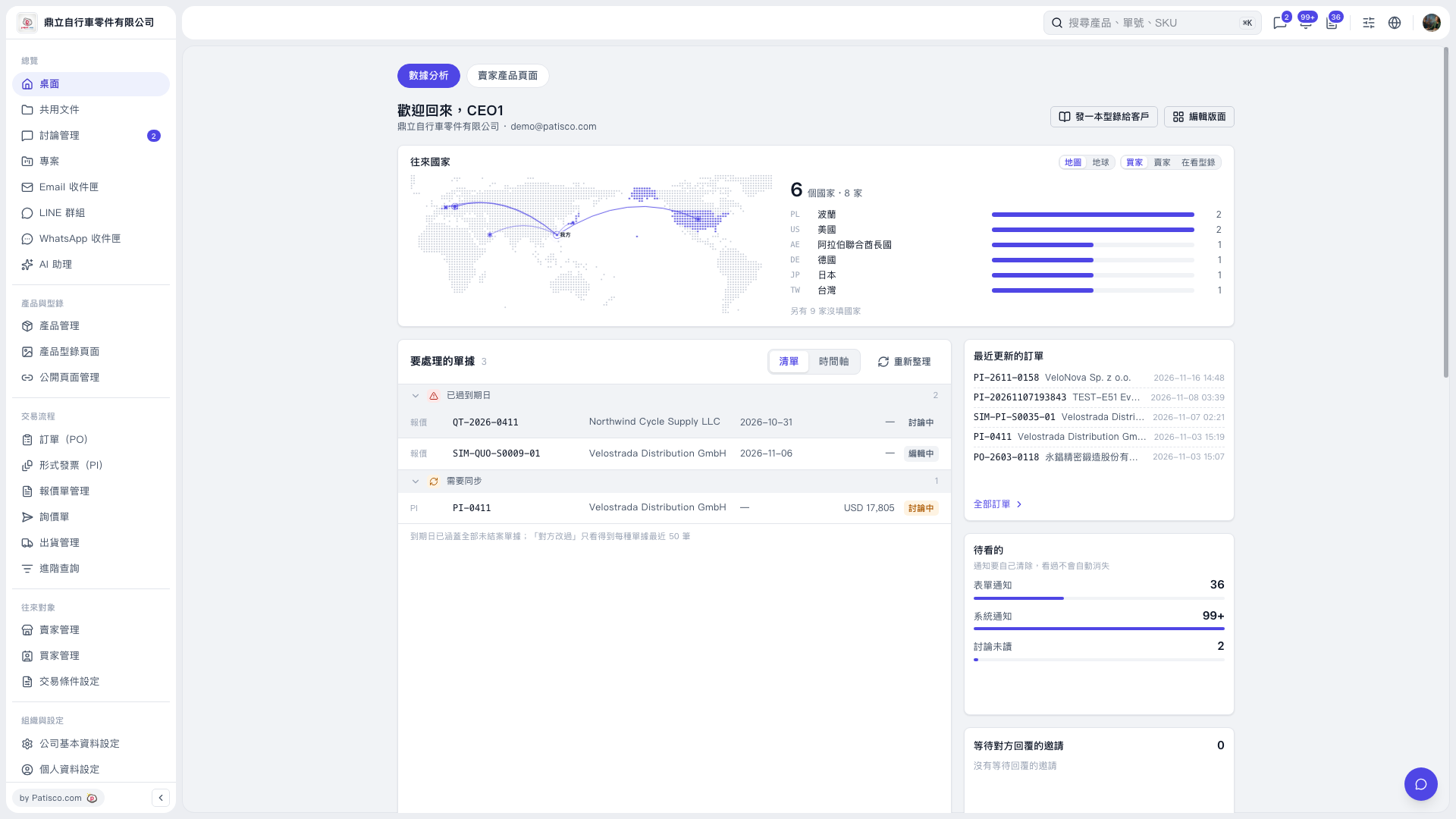
1. On the "Analytics" page, in the "Documents to handle" section, view the documents that are "Past due date" and "Need sync". 2. Check the items to handle by "Company", "Due date", "Amount", and "Document status", then click the "Document number" to view its details. 3. After handling an item, return to the dashboard and click "Refresh" to update the list. 4. To find other orders, click "All orders", or enter a document number in the "Search products, document no., SKU" box at the top.
 V5 新桌面版|桌面-數據分析