
1. On the "Projects" page, click "Ask AI to Organize" at the top right to have the AI organize projects for you. 2. When it finishes, click "View Proposals" in the AI notice area above the list to see the results. This time there are 2 new project proposals. 3. Read the AI's summary and check its suggestions. For example, this time it scanned 35 messages from the past 7 days that were not yet in any project and suggested creating 2 new projects. The 22 messages whose business could not be determined are left as they are, and the other 28 messages already in projects will not be changed.
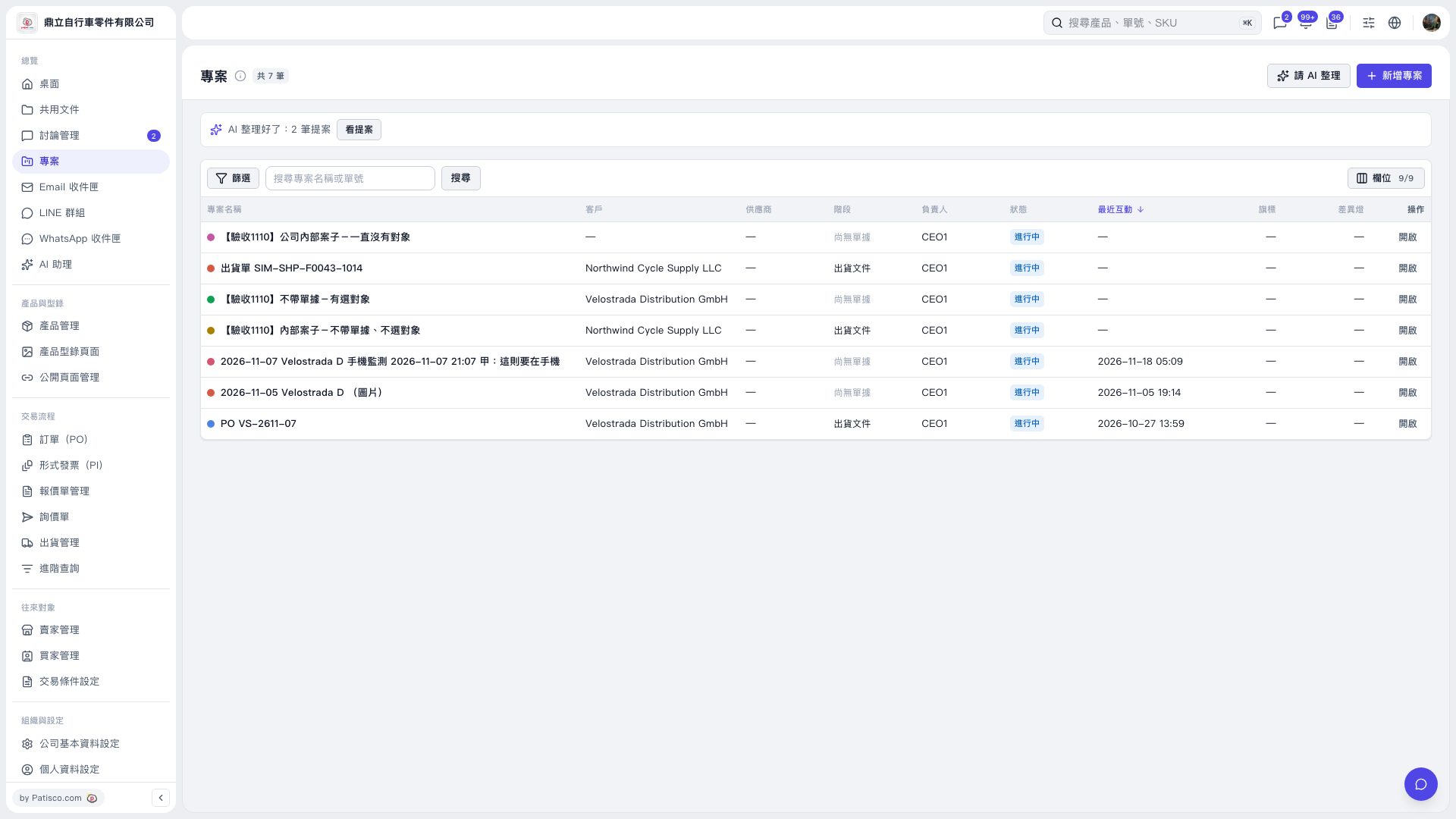 V5 新桌面版|專案