
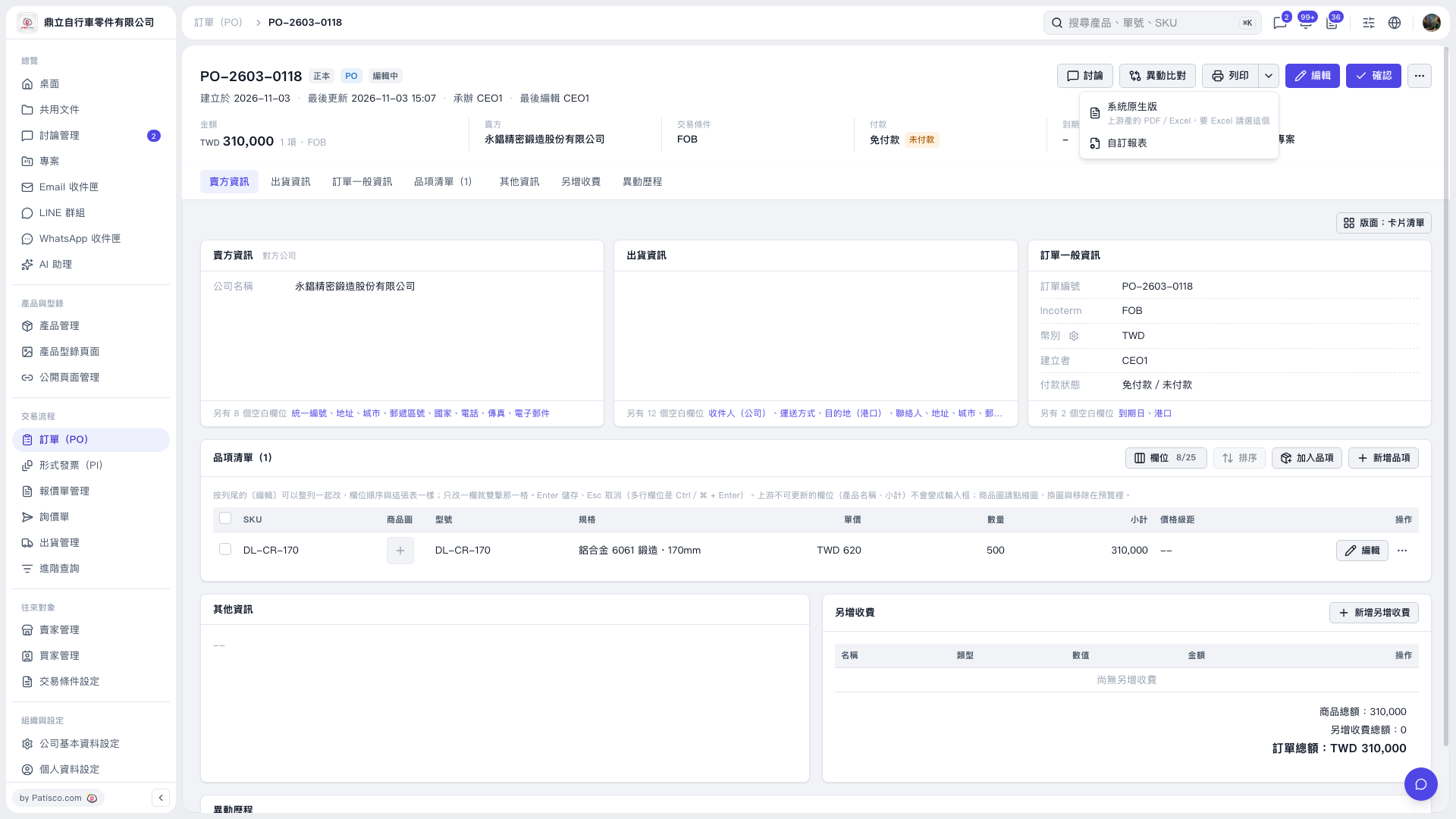
1. Open the PO and check the order number, line items, and total order amount. 2. Click the dropdown arrow next to "Print" in the upper right to open the print menu. 3. To use the system report, choose "System native version." The menu notes that it supports PDF/Excel, so choose this option if you need Excel as well. 4. Follow the following screens to finish the report output or print settings.
 V5 新桌面版|PO-2603-0118