
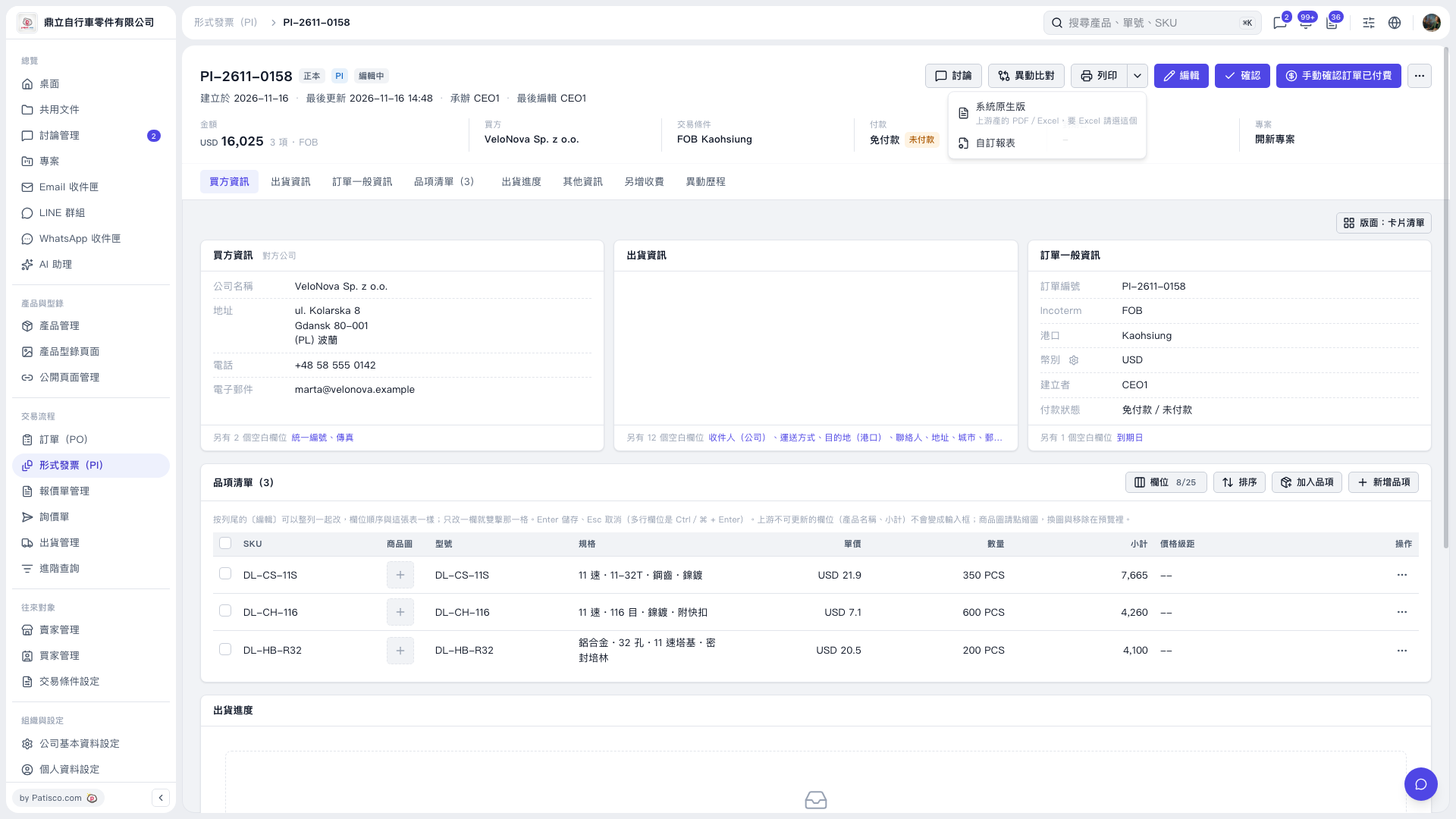
1. On the Proforma Invoice page, first check the Proforma Invoice number, buyer, amount, and line item information. 2. Click the dropdown arrow next to "Print" in the upper right to open the print menu. 3. To get the system native output or Excel, choose "System native version." To use a custom report, choose "Custom report." 4. Follow the following screens to finish the output or print settings.
 V5 新桌面版|PI–2611–0158