
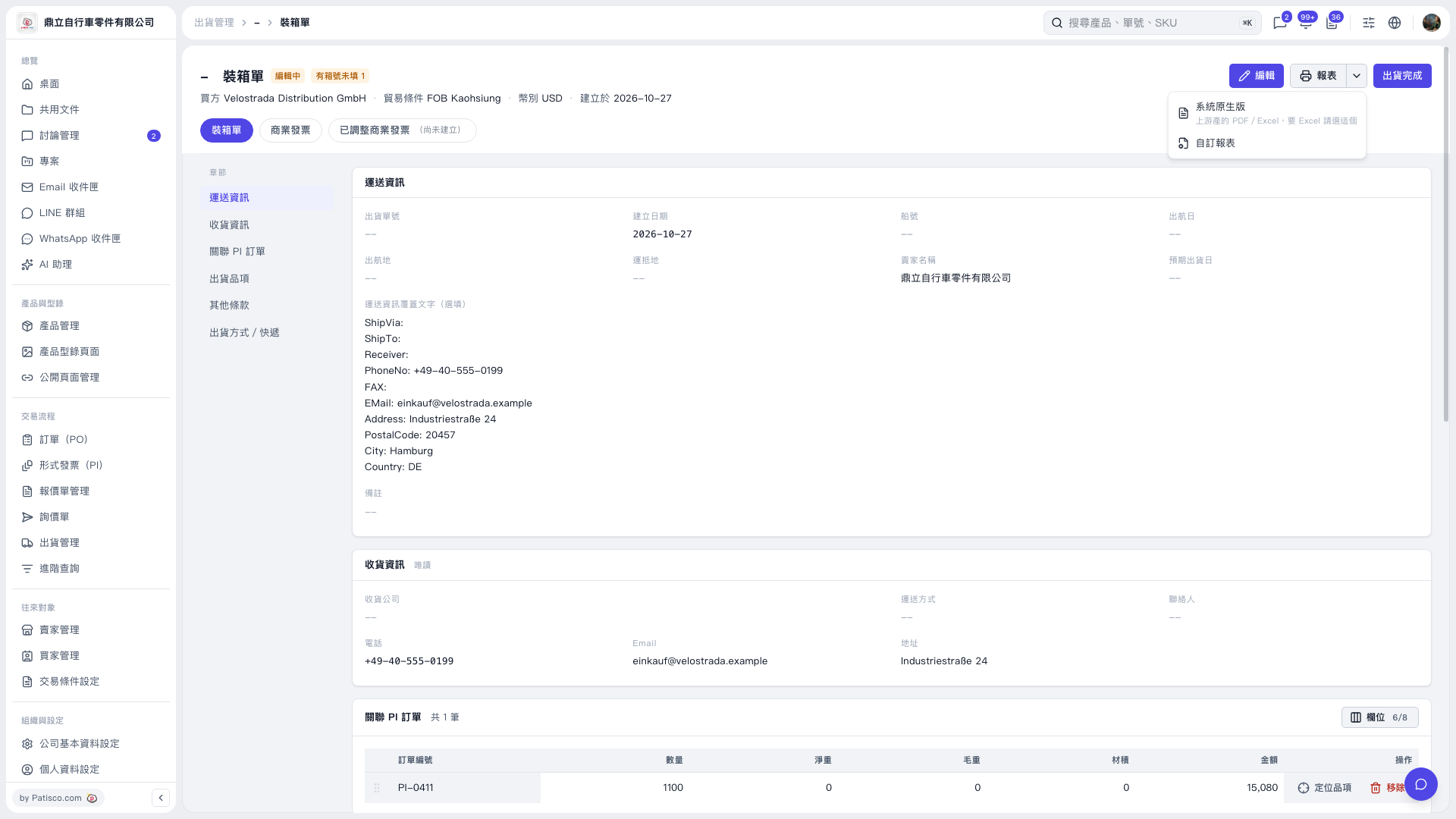
1. On the "Packing List" page, first check the buyer, shipping information, consignee information, and the related PI orders. If you need to make changes, click "Edit" in the upper right. 2. Click the dropdown arrow next to "Report" in the upper right, and choose "System native version" to get the PDF/Excel report, or choose "Custom report." 3. After the report is generated, use the print function of the report viewer to print the packing list.
 V5 新桌面版|裝箱單