
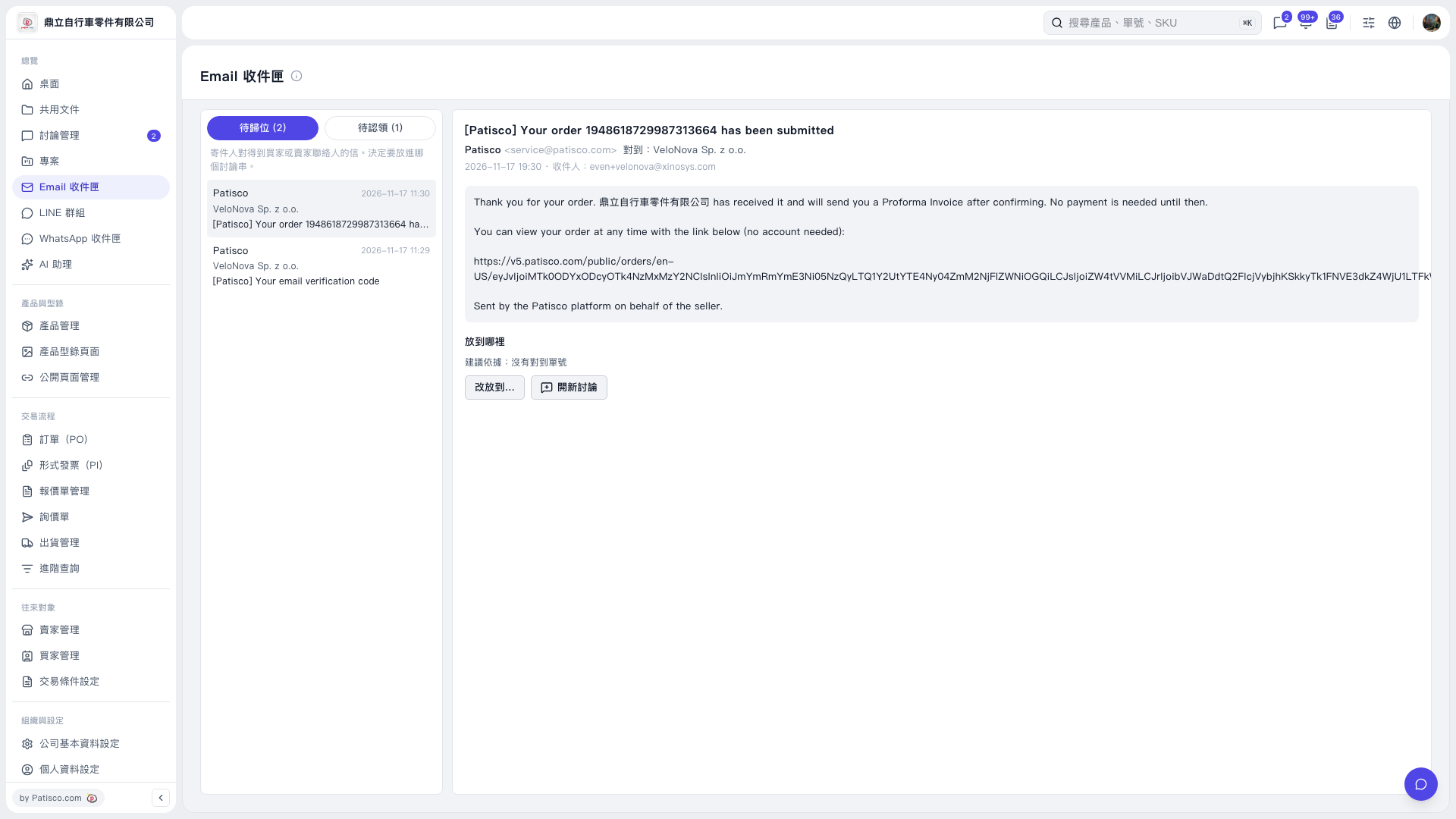
1. In the "Email inbox", click "To be placed (2)" to see emails that have not yet been assigned to a thread. 2. Select an email in the list on the left, and check the subject, sender, recipients and body on the right. 3. Check the "Basis for suggestion" in the "Where to place it" section. 4. Click "Move to..." and choose the appropriate thread. To create a new thread for this email, click "New thread".
 V5 新桌面版|Email 收件匣