
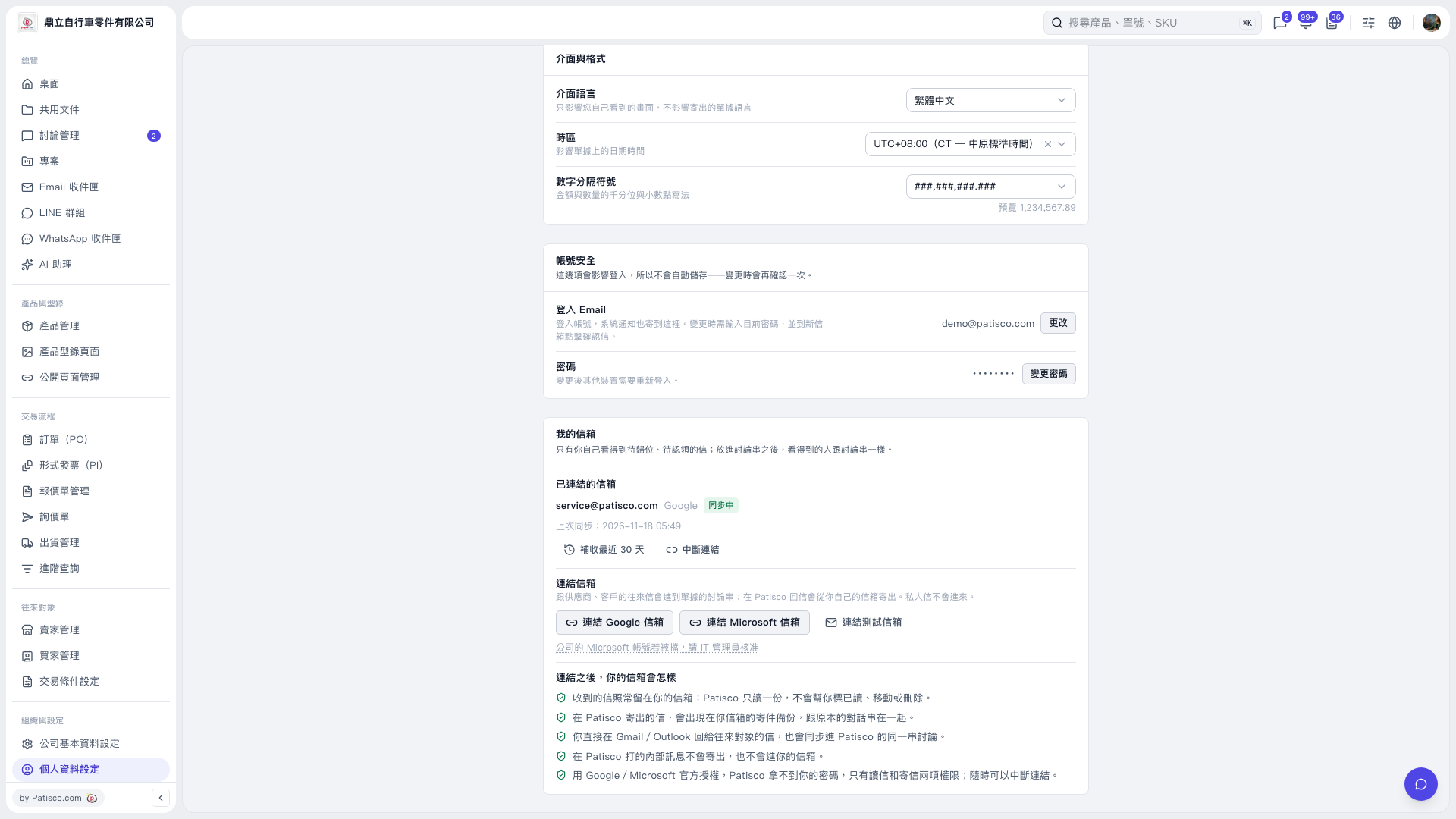
1. In "Organization & Settings" on the left, select "Personal Profile Settings" and find "My Mailbox". 2. In the "Link mailbox" section, click "Link Microsoft mailbox" and complete the linking following the official Microsoft authorization flow. 3. If authorization is blocked for your company account, follow the note below the button, "If your company's Microsoft account is blocked, ask your IT administrator to approve", and ask your company's IT administrator to approve. 4. After linking, check the mailbox, "Sync status", and "Last synced" time under "Linked mailboxes".
 V5 新桌面版|個人資料設定