
1. At the upper left of the quotation management list, select “Sent” or “Received”. 2. Above the list, select a search field (shown as “Quotation No.” on the screen), then enter a keyword in “Enter keywords to search”. You can also click “Filter” to set conditions. 3. Once you find the quotation, click its “Quotation No.” to view its contents.
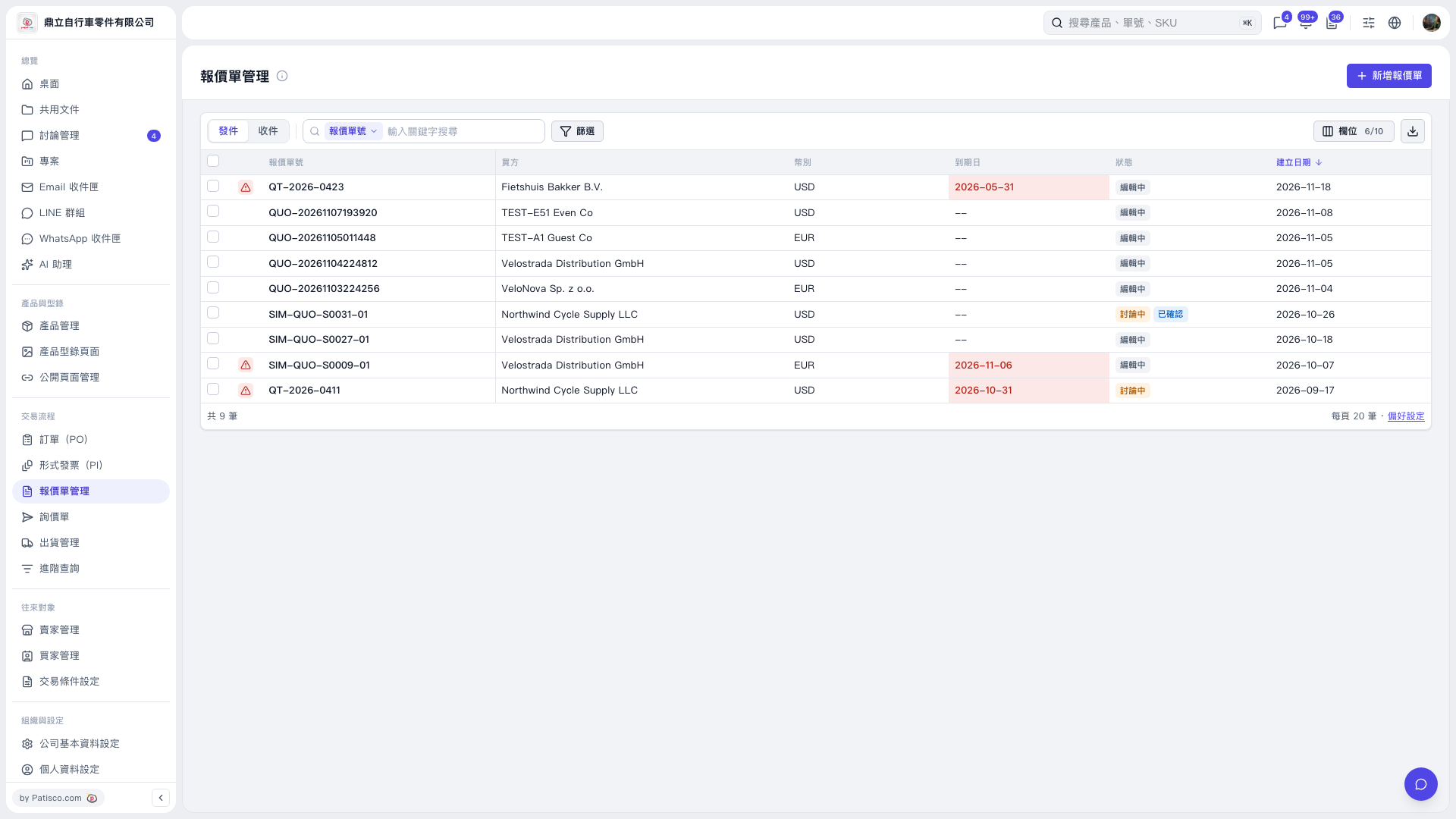 V5 新桌面版|報價單管理