
1. Tap the search icon at the top right to search for a PO, or tap the filter icon to set filters for the list. 2. Once you find the PO you want, tap its card to view the details. 3. To view other actions for that PO, tap ⋮ on the right side of the card to see the available options.
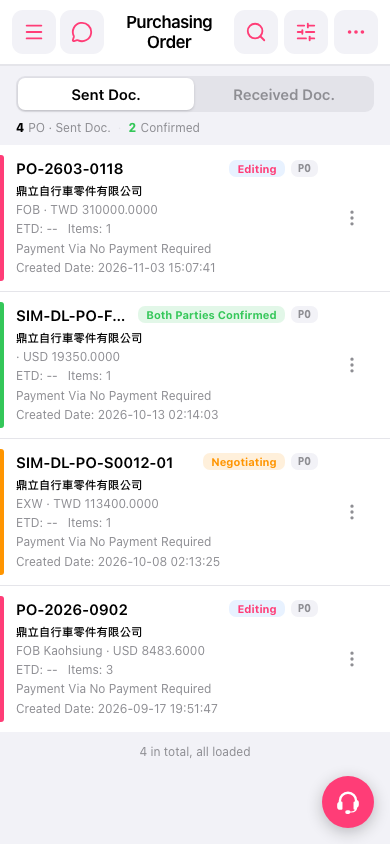 手機版|採購單(Purchasing Order)