
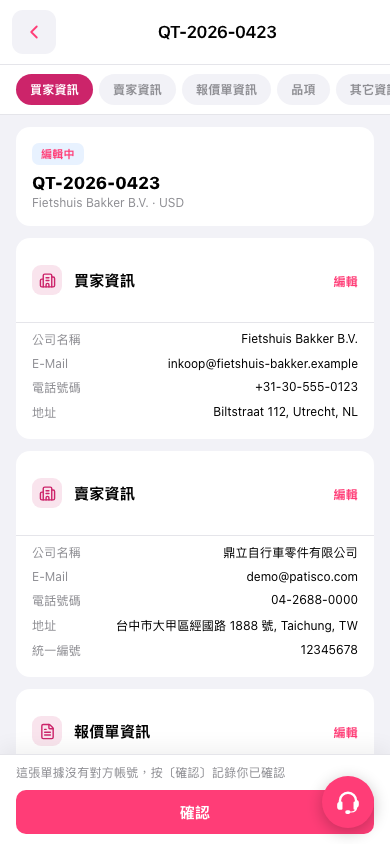
1. Open quotation "QT-2026-0423" and check the quotation number, buyer information, and seller information. 2. Tap the Buyer Information, Seller Information, Quotation Information, or Items tab at the top to view the corresponding content. You can also scroll down to review it. 3. To edit buyer information, seller information, or quotation information, tap "Edit" in the upper-right corner of the corresponding section. 4. After reviewing, tap "Confirm" at the bottom to record that you have confirmed this bill.
 手機版|QT-2026-0423