
1. Open the Proforma Invoice and check the buyer information, shipping information, and general PO information. 2. In the "Item List," check the model numbers, specifications, unit prices, and quantities. 3. To edit the document, click "Edit" in the upper-right corner. To add products, click "Add Item" or "New Item." 4. After checking the content, click "Submit" in the upper-right corner. To print it, click "Print."
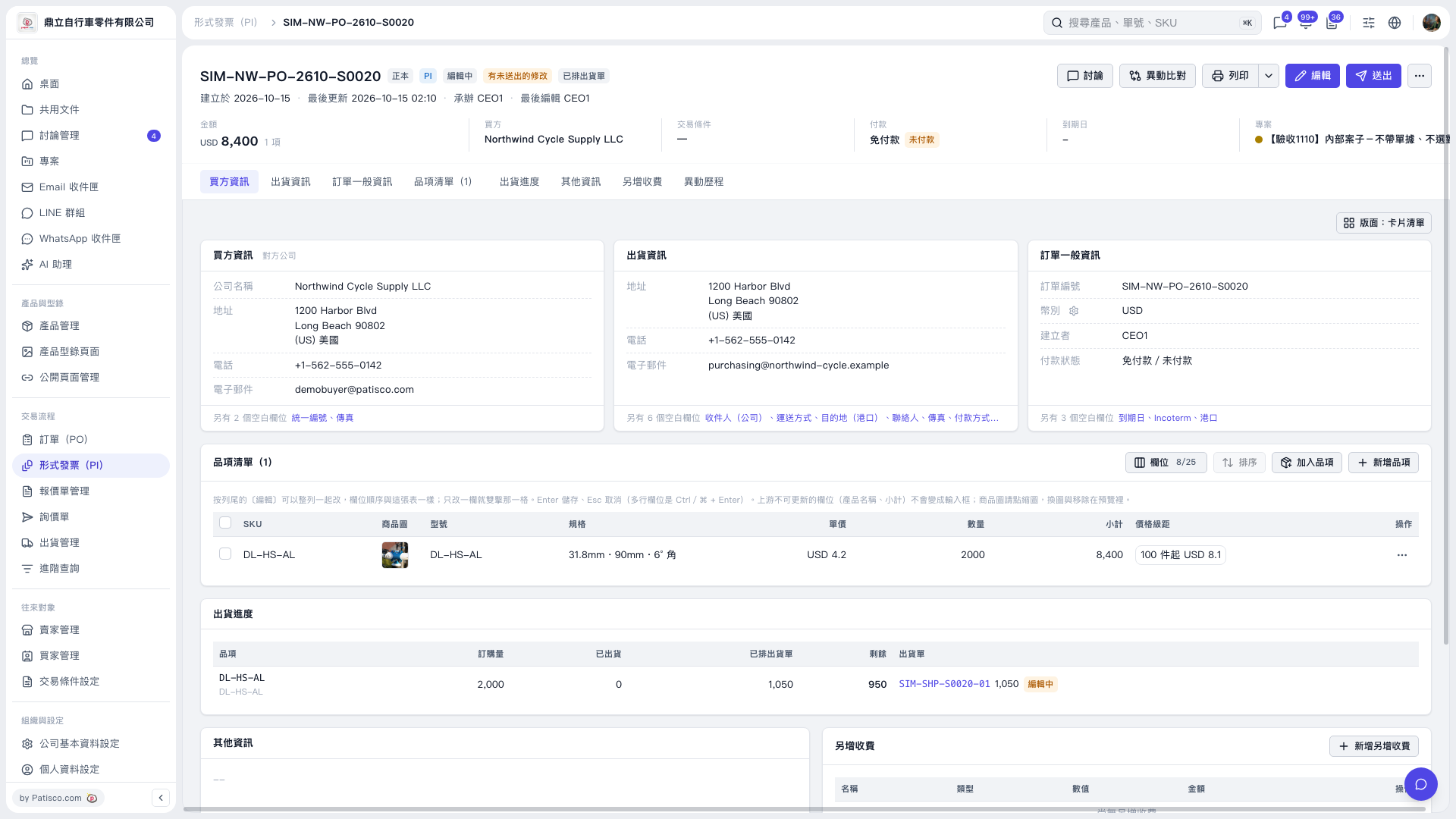 V5 新桌面版|形式發票(PI)-SIM-NW-PO-2610-S0020