
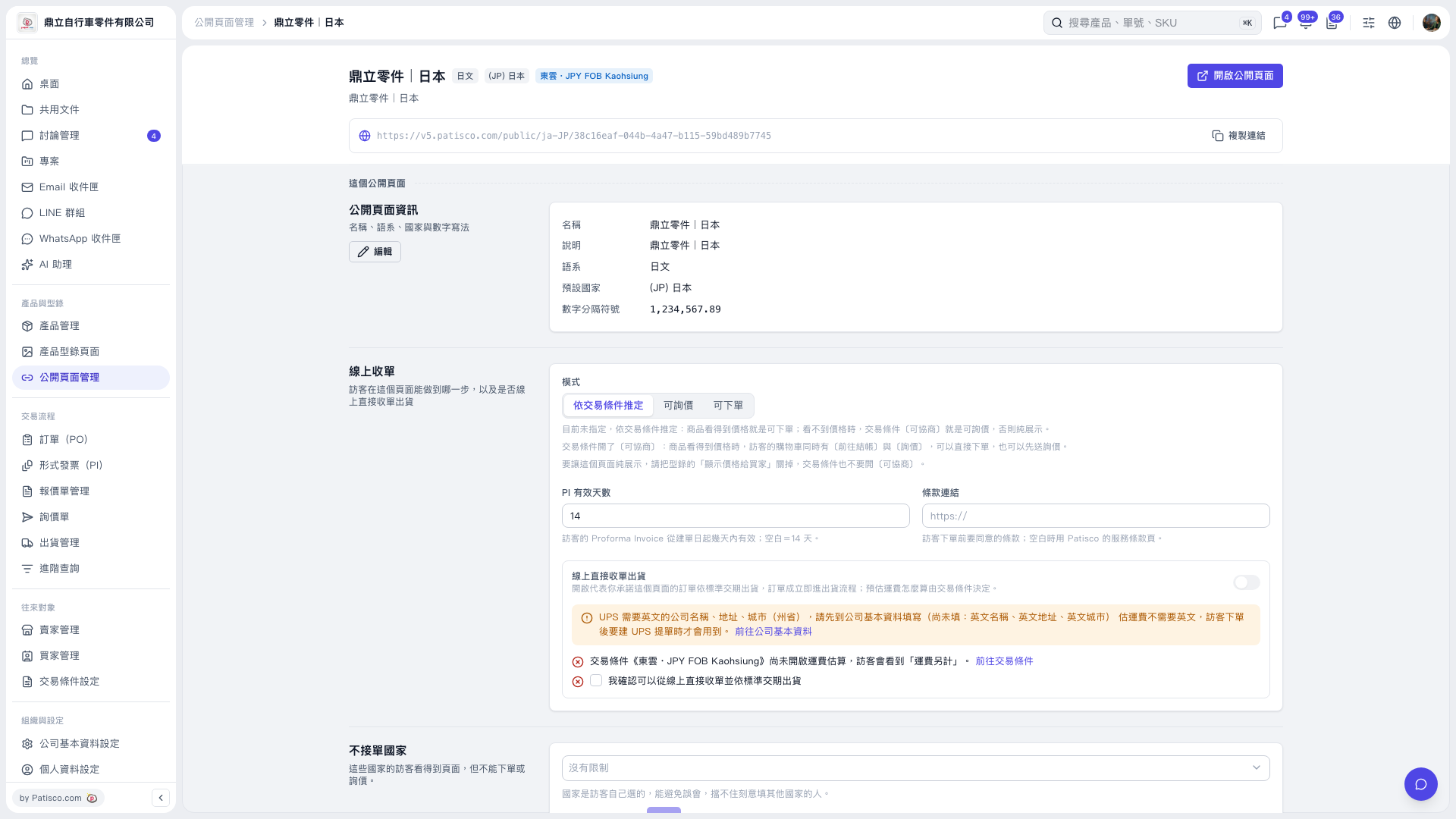
1. In the "Direct Online Ordering and Shipping" section of the public page settings, follow the prompt and click "Go to Company Information" to complete the company name, address, and city in English as required by UPS. 2. Click "Go to Trading Condition Setting" to check the shipping cost estimation settings. 3. Select "I confirm that I can accept POs directly online and ship within the standard lead time", then turn on "Direct Online Ordering and Shipping". 4. Once enabled, a PO enters the shipping process as soon as it is confirmed and is shipped within the standard lead time.
 V5 新桌面版|鼎立零件 | 日本