
1. On the PO page, first select the "Sent Doc." or "Received Doc." tab. 2. Tap the magnifying glass icon in the upper right to search for POs, or tap the sliders icon next to it to set filter criteria. 3. Tap the PO you want to view in the list to open its contents.
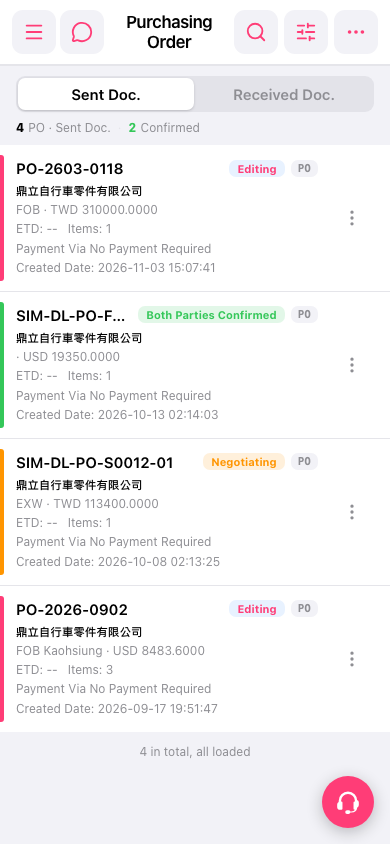 手機版|採購單(Purchasing Order)