
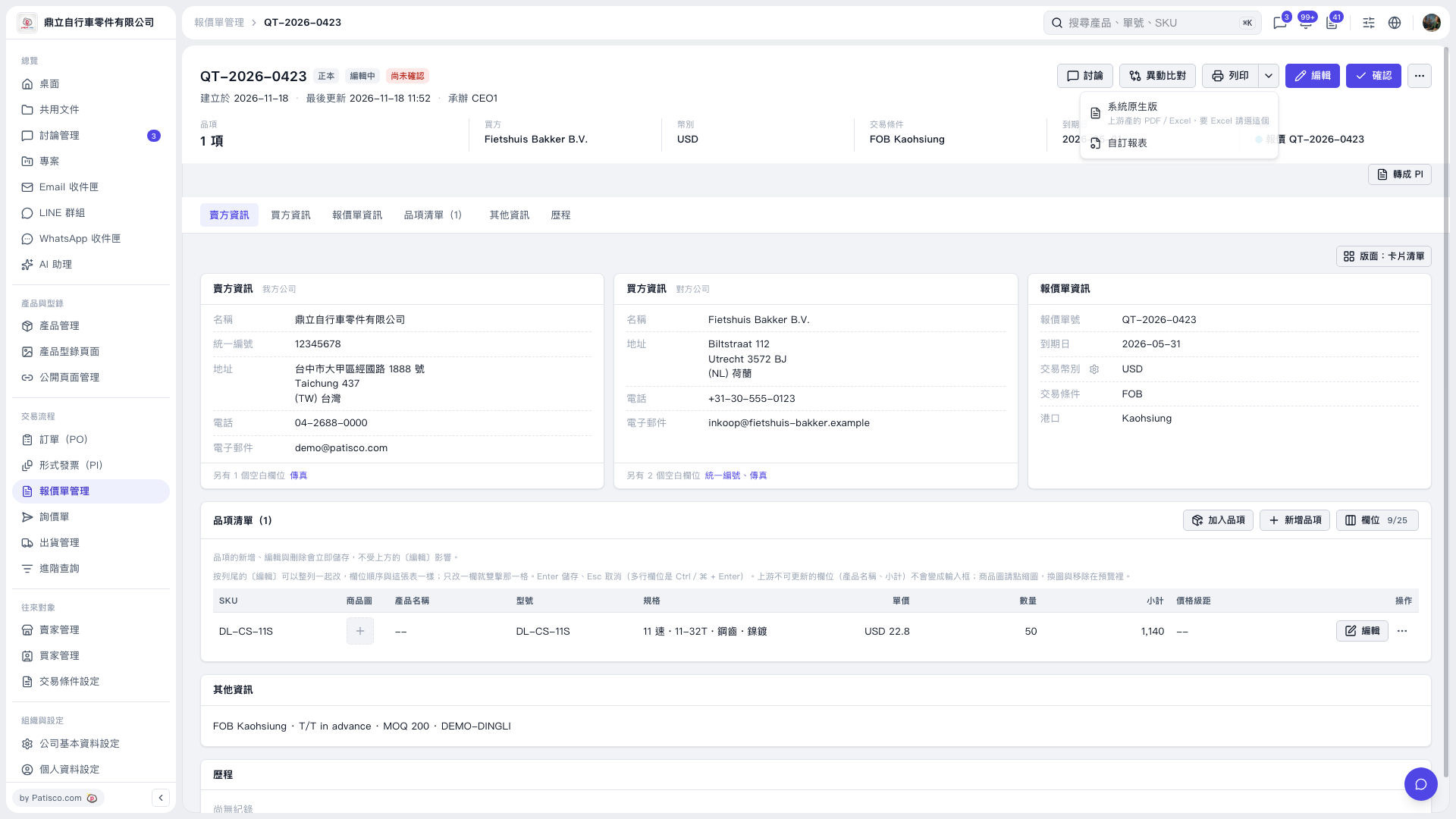
1. Open the quotation you want to print and check the quotation number, buyer and seller information, trading conditions, and line item details. 2. Click the dropdown arrow next to “Print” in the upper-right corner. 3. Select “System Default,” then choose PDF or Excel. To use a custom format, select “Custom Report.” 4. On the following screens, select the report or output format you need to complete printing or exporting.
 V5 新桌面版|QT–2026–0423