
1. Open the "Buyer Trading Condition" page for the buyer and confirm the buyer name at the top of the page. 2. In the trading conditions section, review the "Trading Condition Name", cooperation permissions, price tiers, quotation terms, and payment information. 3. If you need to make adjustments, click [Go to Settings] in the top right corner of the trading conditions section to access the trading condition settings page for this buyer.
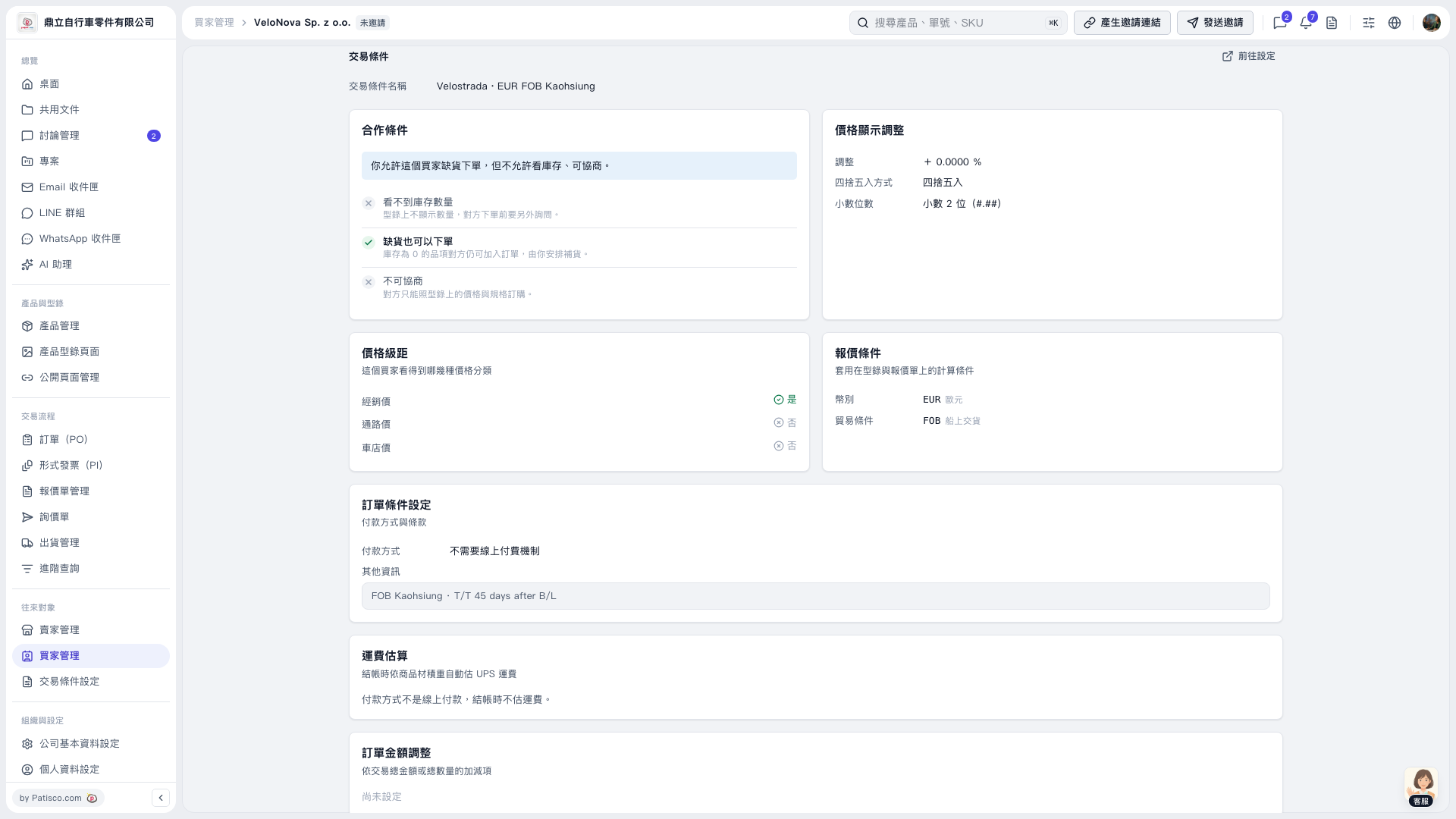 V5 新桌面版|買家交易條件