
1. In the left sidebar, under "Organization & Settings", click "Profile Settings". 2. Scroll to the "Passkey login (Touch ID / Face ID)" section. 3. Under "Add Passkey", click the "+ Add Passkey" button. 4. Follow the browser or system prompt and verify with fingerprint (Touch ID) or face recognition (Face ID). 5. After successful verification, the screen shows that the Passkey was added, and a new row appears in the "Registered Passkeys" list, marked "This device only" and "Not used to log in yet". 6. The next time you log in, choose Passkey to log in with fingerprint or face recognition, without typing a password.
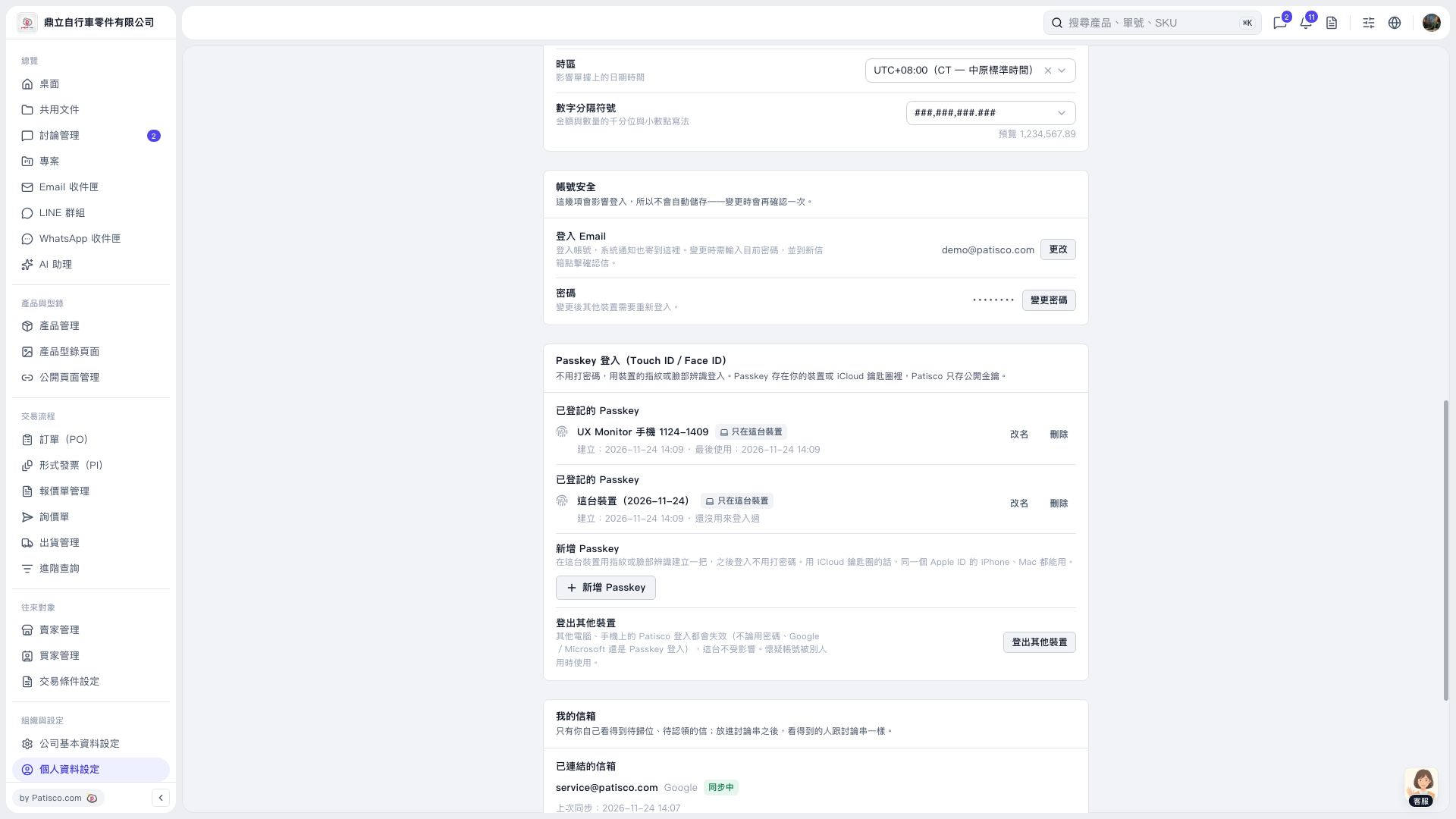 V5 新桌面版|個人資料設定(目前捲動到「帳號安全」與「Passkey 登入(Touch ID / Face ID)」區塊)