
1. Click [AI assistant] under "Overview" in the left sidebar. 2. To start a new topic, click [New chat] at the top left; to continue an earlier topic, click that entry in the chat history list on the left. 3. Type your question in the input box at the bottom. You can also click the quick-flow buttons above the input box to bring in commonly used workflows. 4. If you need to give the AI a file, click the paperclip icon on the right side of the input box to upload an attachment. 5. Click [Send] at the bottom right and wait for the AI assistant to reply. 6. Before the AI assistant writes data (for example, creating a document), it asks you to confirm first, and only runs after you confirm. You can ask, for example: "How many POs from last month are still unpaid?" To delete a chat you no longer need, click the trash icon on the right of that row.
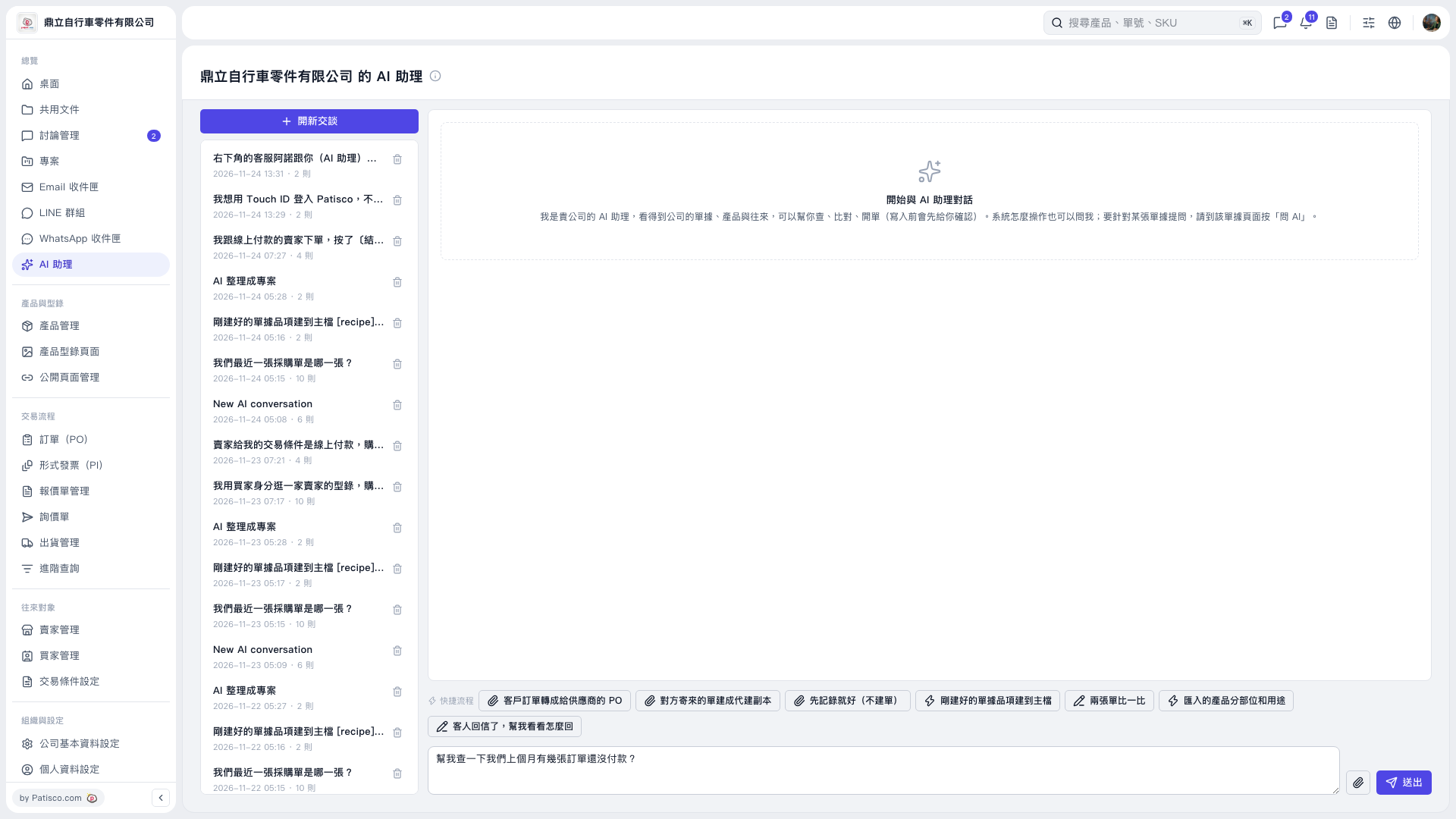 V5 新桌面版|鼎立自行車零件有限公司 的 AI 助理