
1. In the left sidebar, click "Profile Settings" and scroll down to the "Passkey login (Touch ID / Face ID)" section. 2. In the "Add Passkey" area, click "Add Passkey". 3. Follow the browser prompt and complete the setup with fingerprint or face recognition. 4. When setup is complete, the new Passkey appears in the "Registered Passkeys" list. On the right of each row in the list there are "Rename" and "Delete": "Rename" changes the display name, and "Delete" deletes that Passkey.
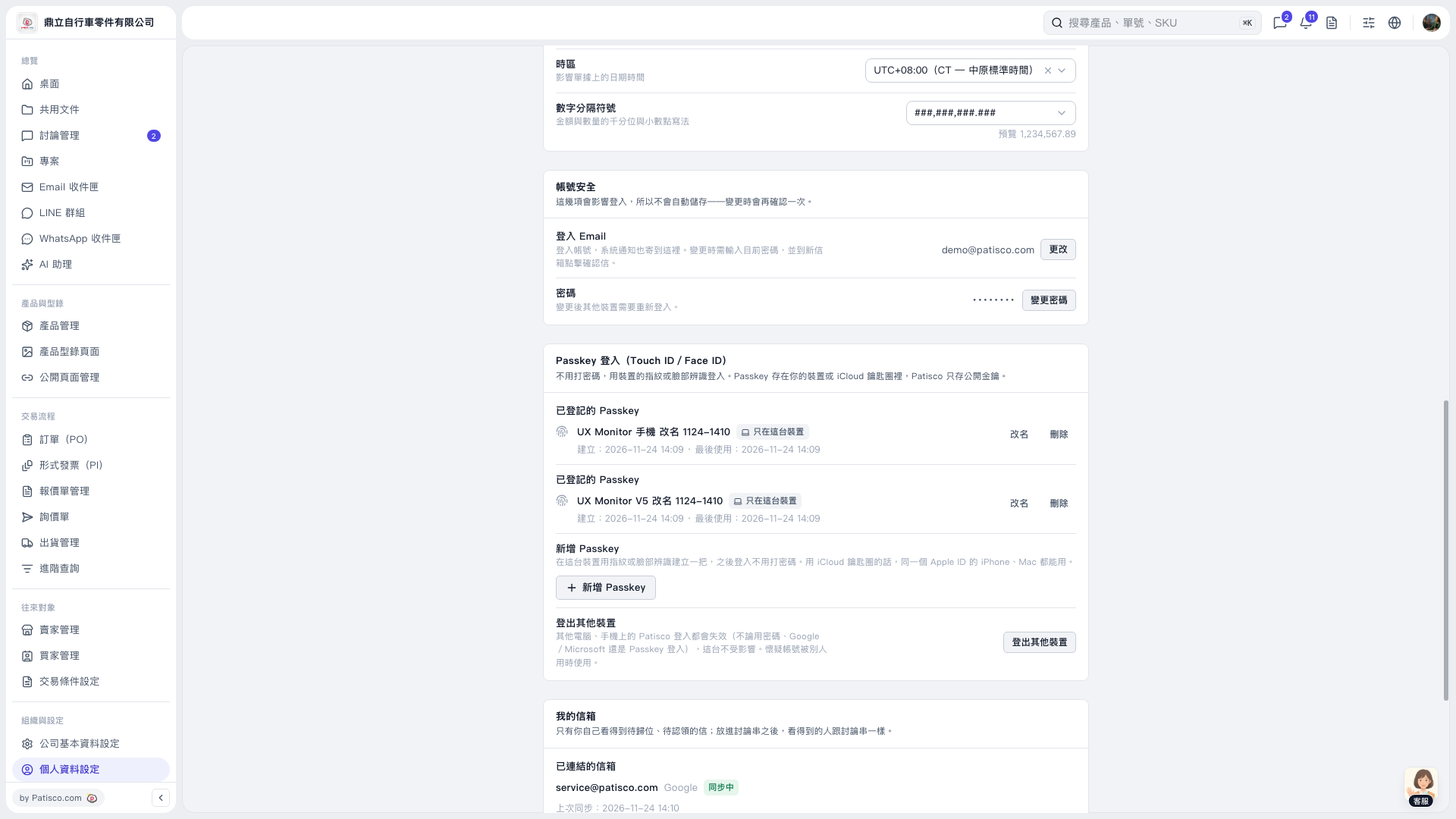 V5 新桌面版|個人資料設定(Passkey 登入區塊)