
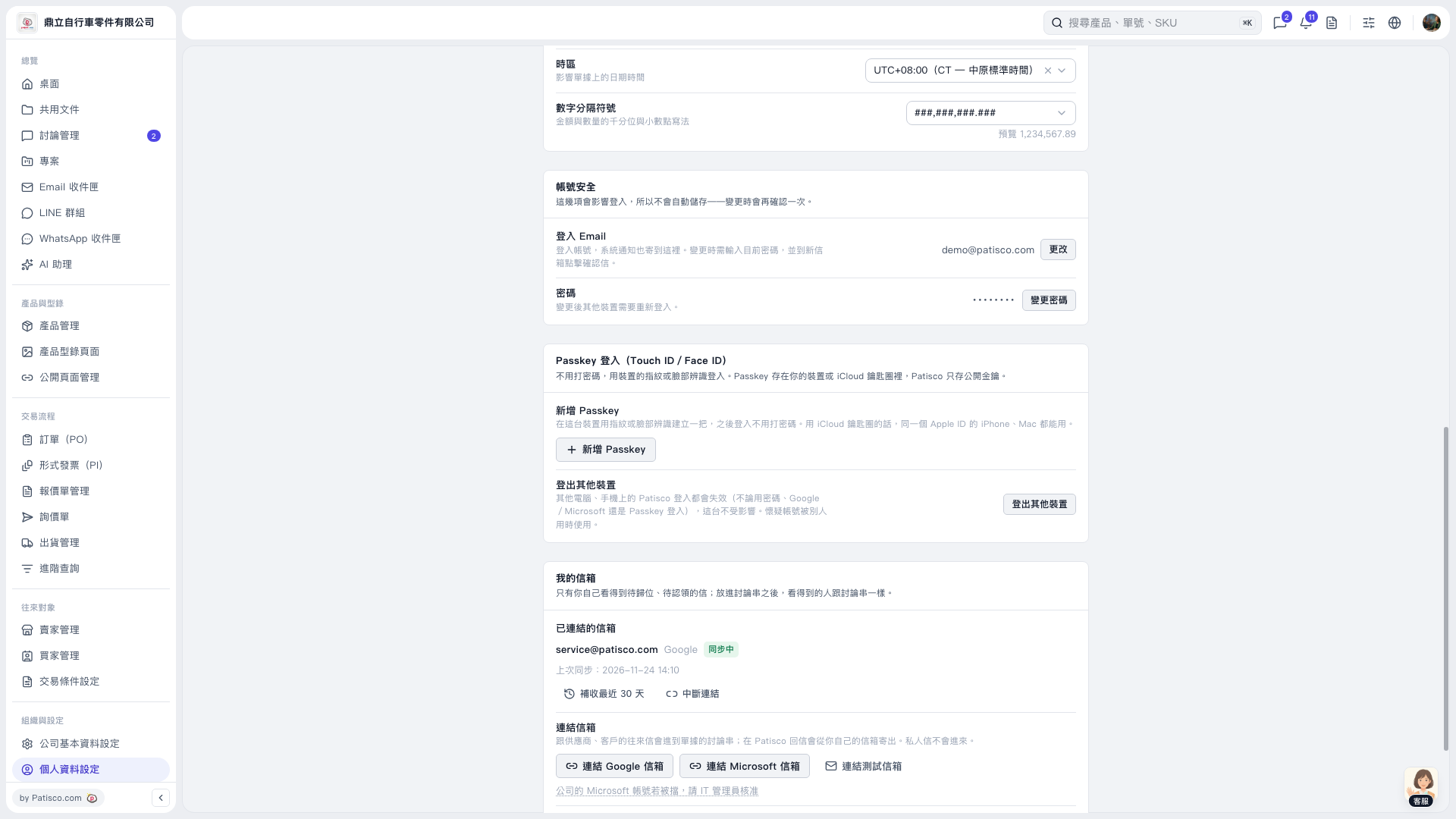
1. In the left sidebar, click "Profile Settings" under "Organization & Settings". 2. Scroll to the "Sign out other devices" row below the Passkey section. 3. Click [Sign out other devices] on the right. The Patisco sign-ins on your other computers and phones will all be invalidated, and the device you are using now is not affected. If you suspect that a particular Passkey is being used by someone else, you can also first [Delete] that Passkey in the Passkey list, and then go to the "Account security" section and use [Change password] to set a new password.
 V5 新桌面版|個人資料設定