
1. Go to the "Passkey login (Touch ID / Face ID)" section in "Profile Settings" and find the row in the "Registered Passkeys" list. 2. To change the display name, click "Rename" on the right of that row. 3. If you no longer use the Passkey, click "Delete" on the right of that row. 4. To invalidate all Patisco logins on other computers and phones, click "Log out other devices" on the right at the bottom of the section. The device you are currently using is not affected. The list shows each Passkey's name, creation time, and last-used time, to help you decide which one can be deleted.
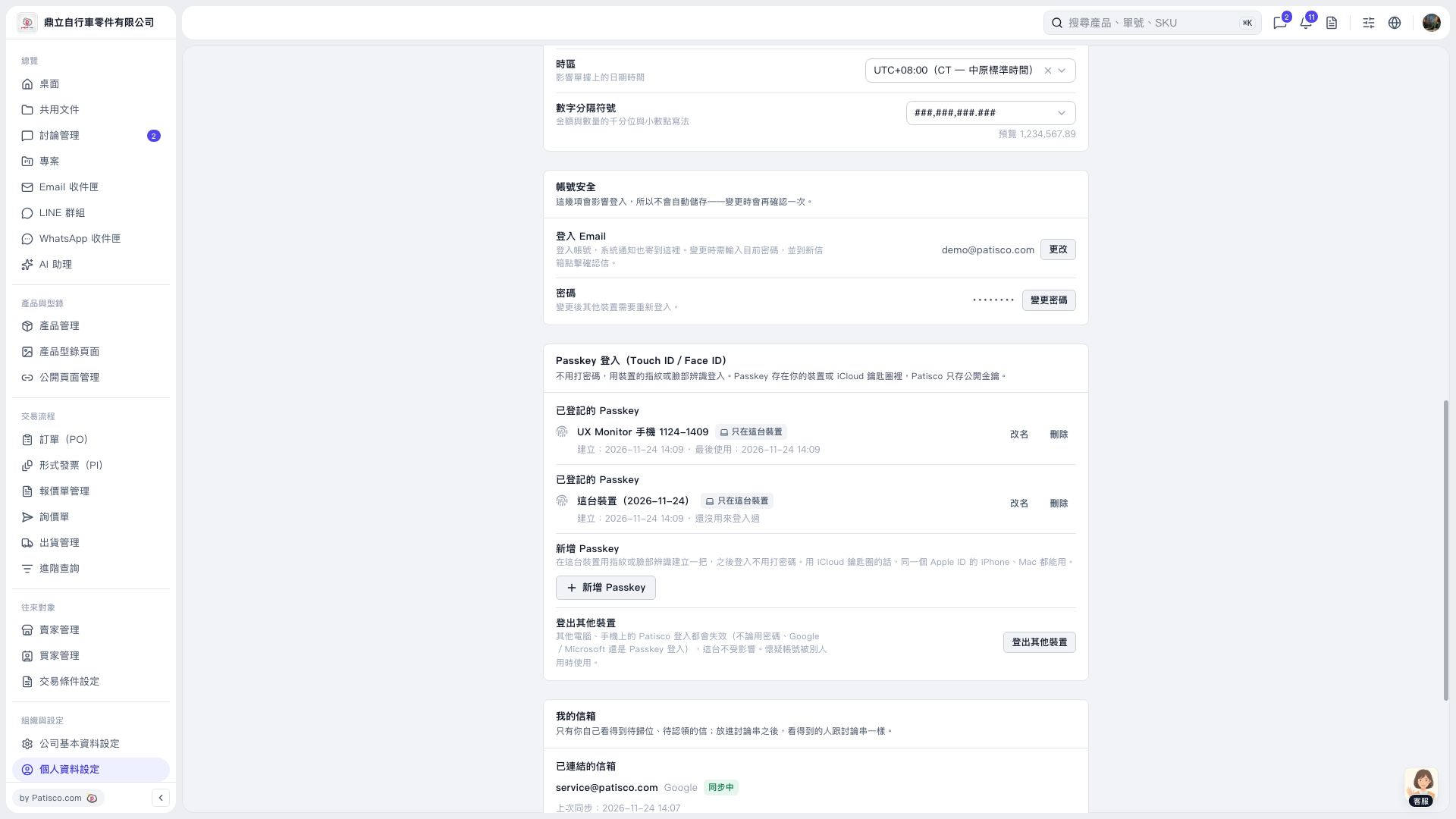 V5 新桌面版|個人資料設定(目前捲動到「帳號安全」與「Passkey 登入(Touch ID / Face ID)」區塊)