
1. Open the "See the whole company" page in V5. 2. Look at the red "Next step" hint in the "Wizard progress" card at the top left. It tells you the next recommended task and the department it belongs to. 3. If you want to do it right away, press [Start] and the system will take you into that guided task. 4. If you first want to know where it is, press [View on map] and the map will locate and highlight that department. 5. You can also click a department in the "Departments" panel on the left. The one marked "Next step" is the currently recommended department.
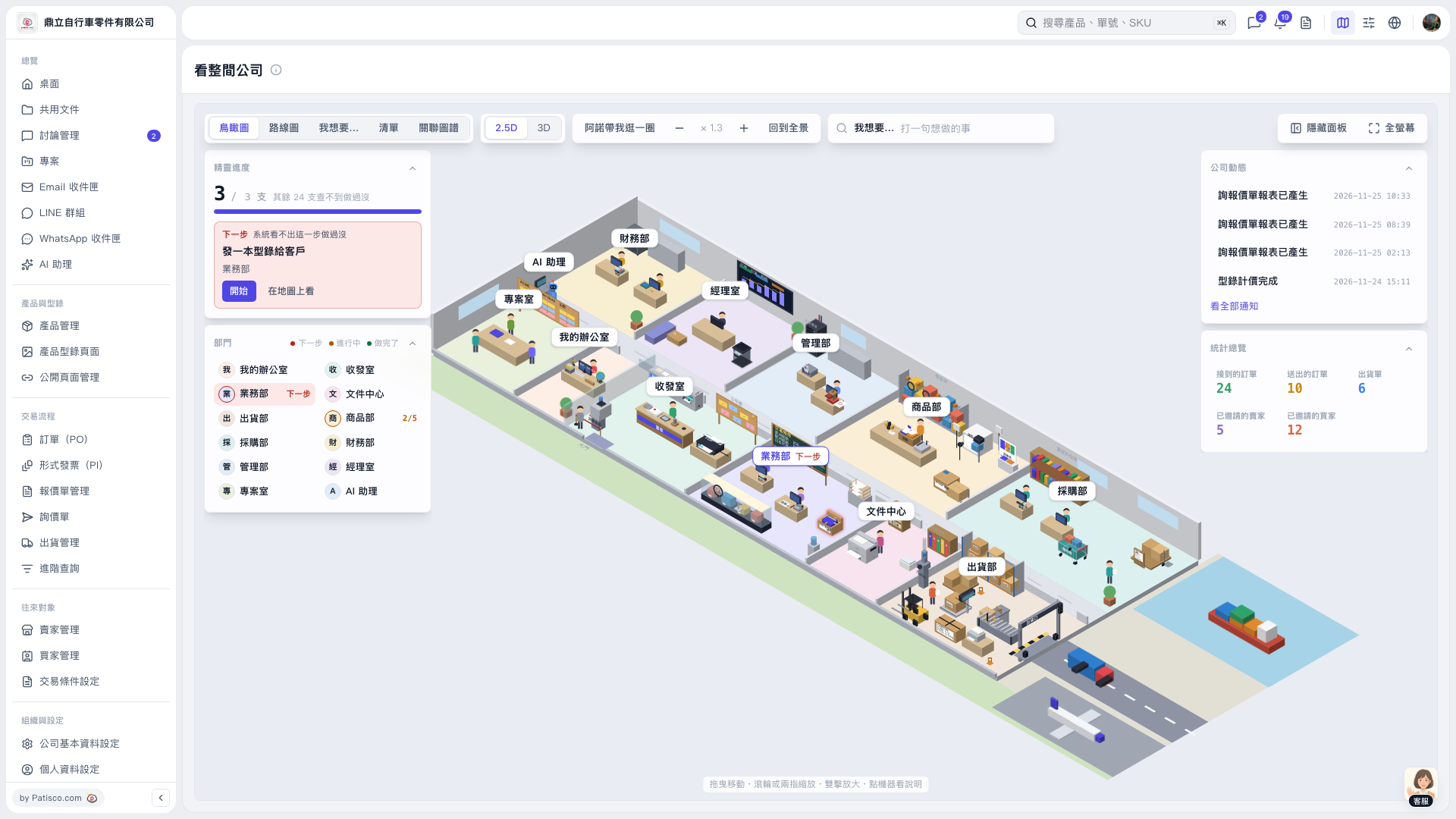 V5 新桌面版|看整間公司