
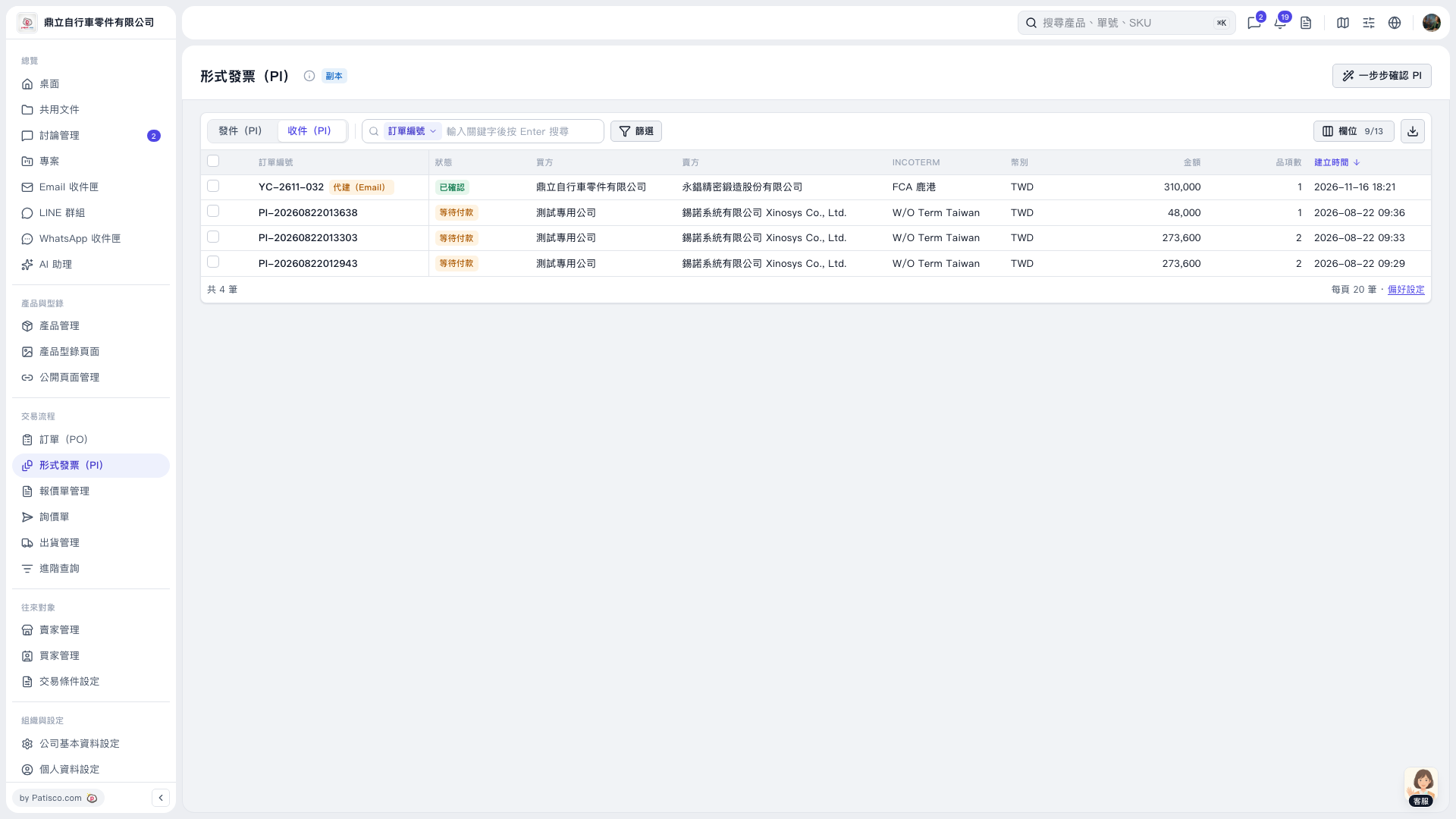
1. In the left sidebar, under "Trade Flow", click "Proforma Invoice (PI)". 2. Switch to the "Received (PI)" tab above the list to see the Proforma Invoices you received. 3. If needed, find the target PI using the "Order number" search box (choose the search field, enter a keyword, then press Enter) or "Filter". 4. Click [Confirm a PI step by step] at the top right and follow the wizard's instructions step by step. 5. If at the third step the wizard tells you "This PI is waiting for your payment, nothing to confirm", it means this PI no longer needs your confirmation, and there is no [Submit] or [Confirm] on the screen. In that case, click the main button [Open this PI] to go to this PI's details. Its status will show [Awaiting payment].
 V5 新桌面版|形式發票(PI)