
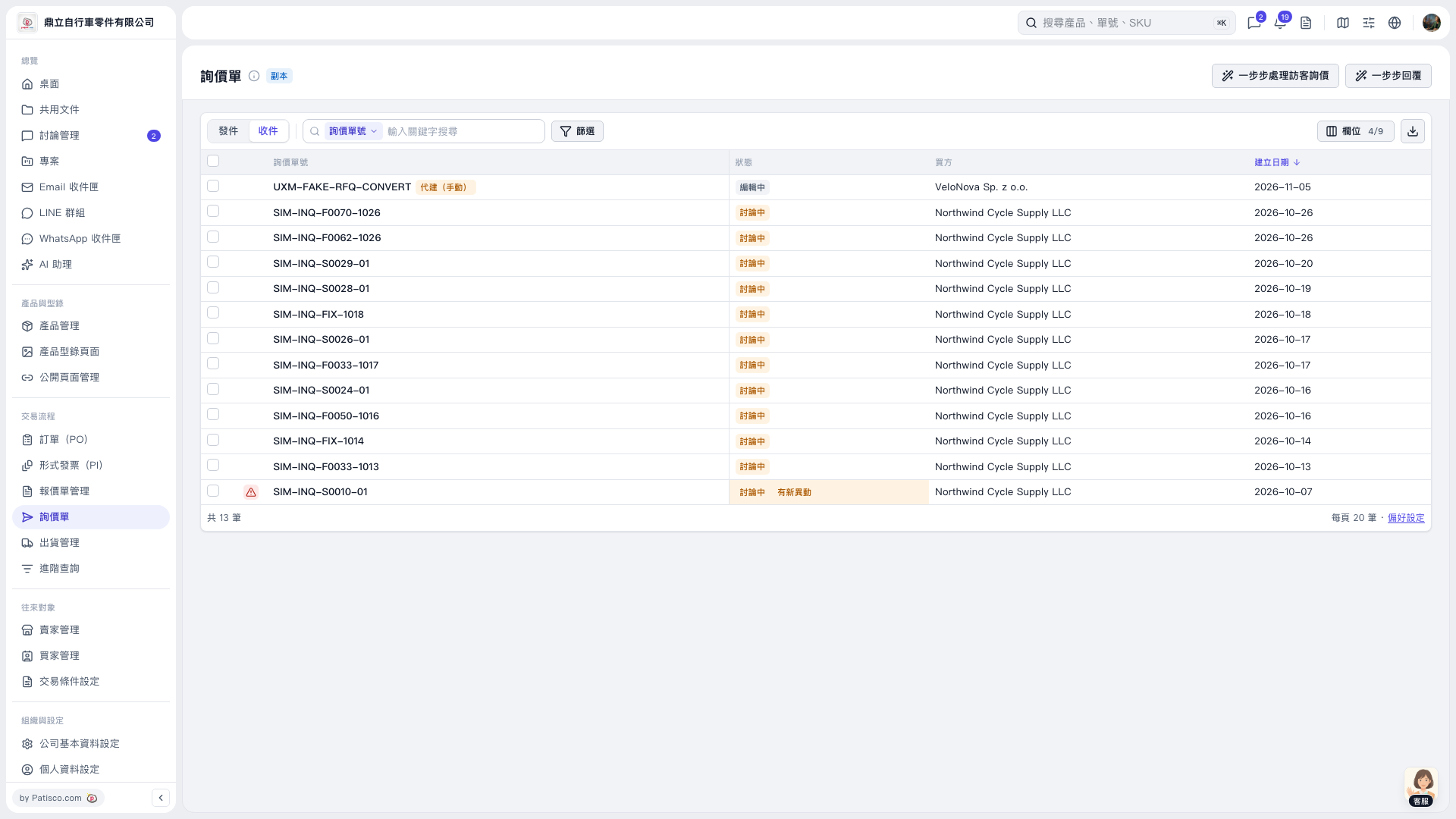
1. In the left sidebar, under "Trade Flow", click "Inquiry", and make sure you are on the "Received" tab. 2. To find a specific document, select "Inquiry number" in the search box and enter a keyword, or click "Filter" and set conditions. 3. Click an inquiry number in the list to open the contents of that inquiry, where you can view it or reply. 4. If you want guided handling, click "Reply step by step" at the top right. For an inquiry sent by a guest, click "Handle guest inquiry step by step". You can ask the AI assistant: "What day was this inquiry received?" The AI will tell you the received date of that inquiry and explain whether you can reply directly. If the other party has not yet joined the platform, it will tell you that you cannot reply here and provide an "Open this inquiry" link.
 V5 新桌面版|詢價單