
1. In the "Overview" section of the left sidebar, click "See the whole company". 2. Make sure the tab at the top is on "Route map" (the other tabs are "Bird's-eye view", "I want to...", "List", and "Relationship graph"). 3. Look at the progress summary at the top left: it shows how many stops on the Sales line and the Purchasing line are "Already done". The "Next stop" link beside it takes you to the next to-do step. 4. If you cannot find your position on the map, click "Jump to where you are" at the top right. The view moves to the stop where your current progress is. 5. To see details, use "+" and "−", or hold ⌘/Ctrl and scroll the mouse wheel to zoom. After zooming in, hold and drag to move around. To reset, click "Back to overview". For a larger view, click "Full screen". 6. To work on a stop, click it directly and you will go to the corresponding feature page.
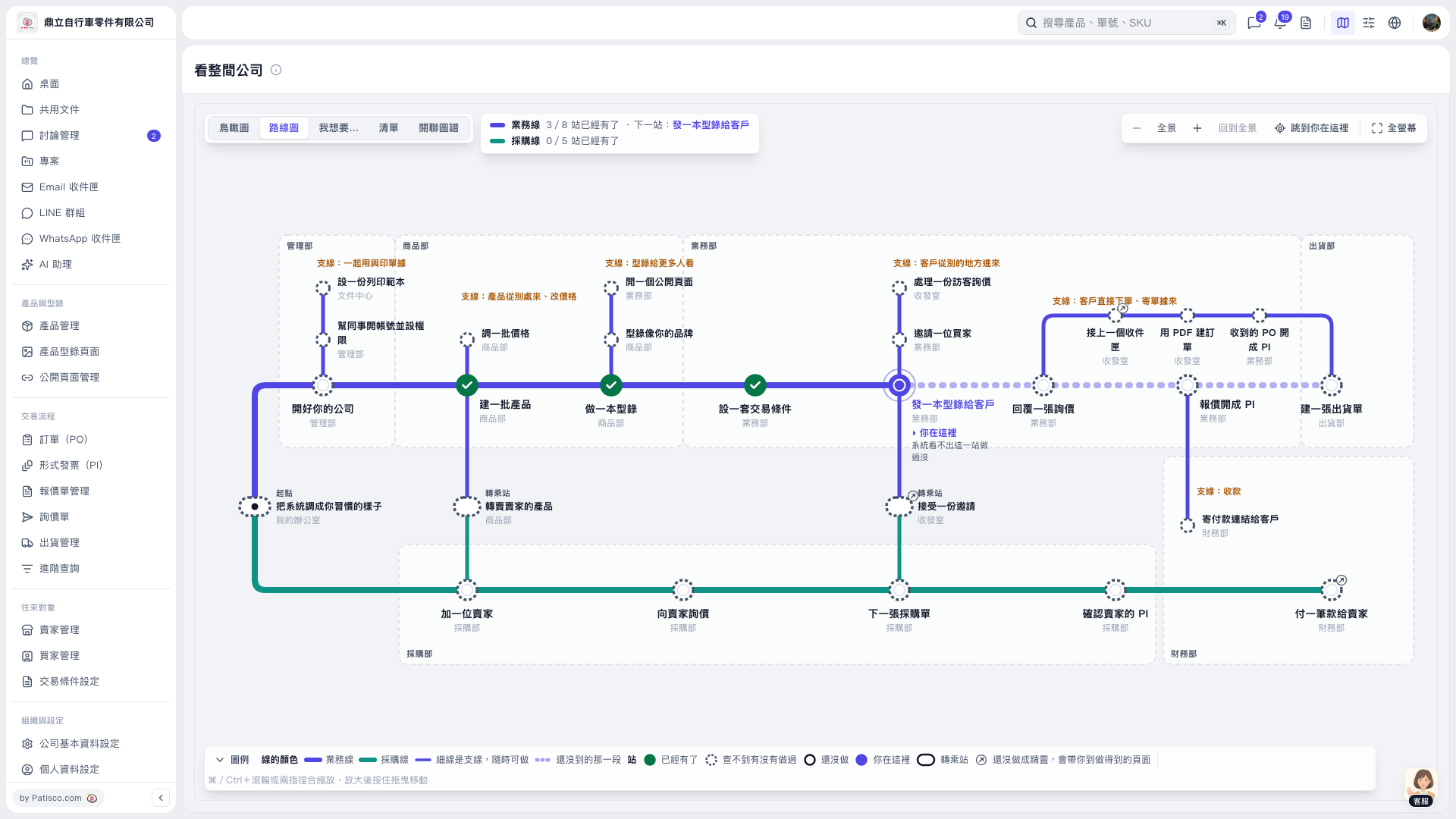 V5 新桌面版|看整間公司