
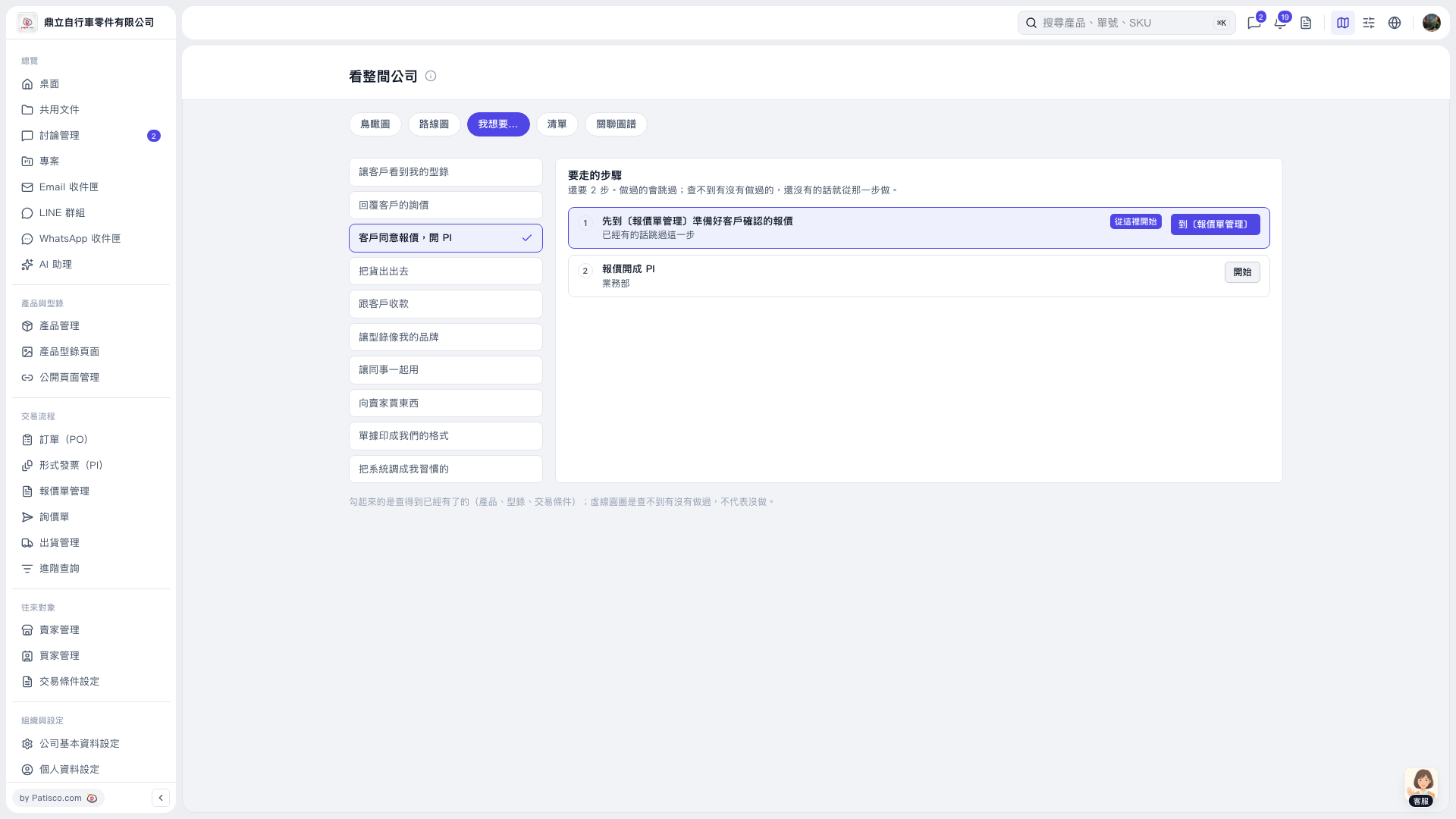
No. Next to step 1, "Go to [Quotation Management] and prepare the quotation the customer has confirmed", there is a note: if you already have one, you can skip this step. 1. In "I want to...", select "Customer agreed to the quotation, create a PI". 2. On the right, click [Start from here] on step 1. The system marks that you start from this step, and skips it because you already have a quotation. 3. Then click [Start] on step 2, "Create a PI from the quotation". If you do not have a quotation yet, click [Go to [Quotation Management]] on step 1 and prepare the quotation first. Each step has a button on its right side that you can click to go straight in and work on it.
 V5 新桌面版|看整間公司