
1. From "Organization & Settings" in the left sidebar, click "Personal Profile Settings" and scroll to the "My Mailbox" section (the URL ends with #mailbox). 2. Under "Connected mailboxes", check whether any mailbox is currently connected and what its sync status is. 3. To connect a new mailbox, under "Connect a mailbox" click [Connect Google mailbox] (Gmail) or [Connect Microsoft mailbox] (Outlook). 4. Sign in on the official authorization screen and agree to the permissions to read and send emails. 5. Return to this page and confirm that the mailbox shows "Syncing". You can ask the AI assistant: "I want to connect an inbox. How do I do it?" The AI will take you to the "My Mailbox" page in "Personal Profile Settings" and explain the next steps.
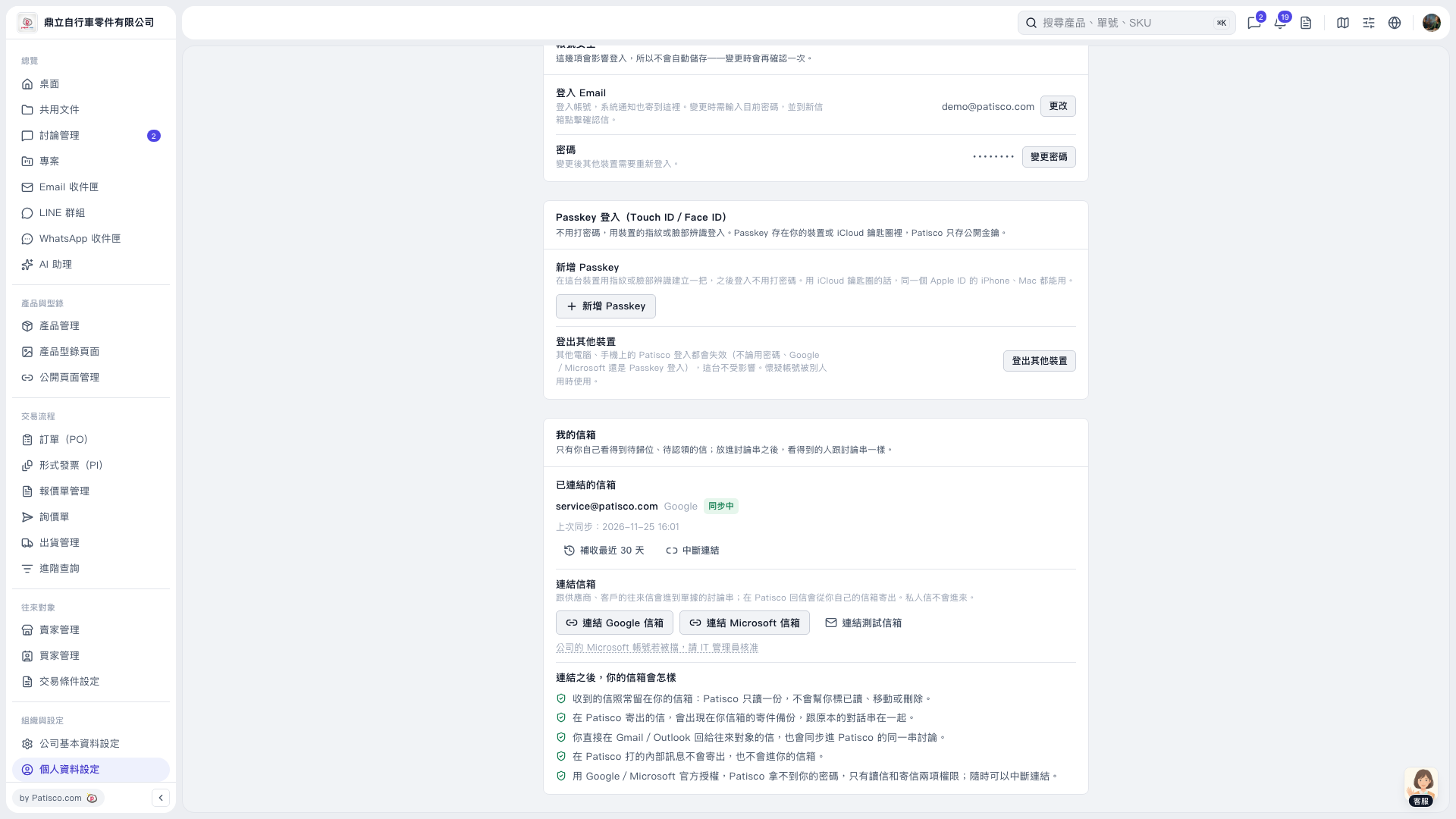 V5 新桌面版|個人資料設定(我的信箱)