
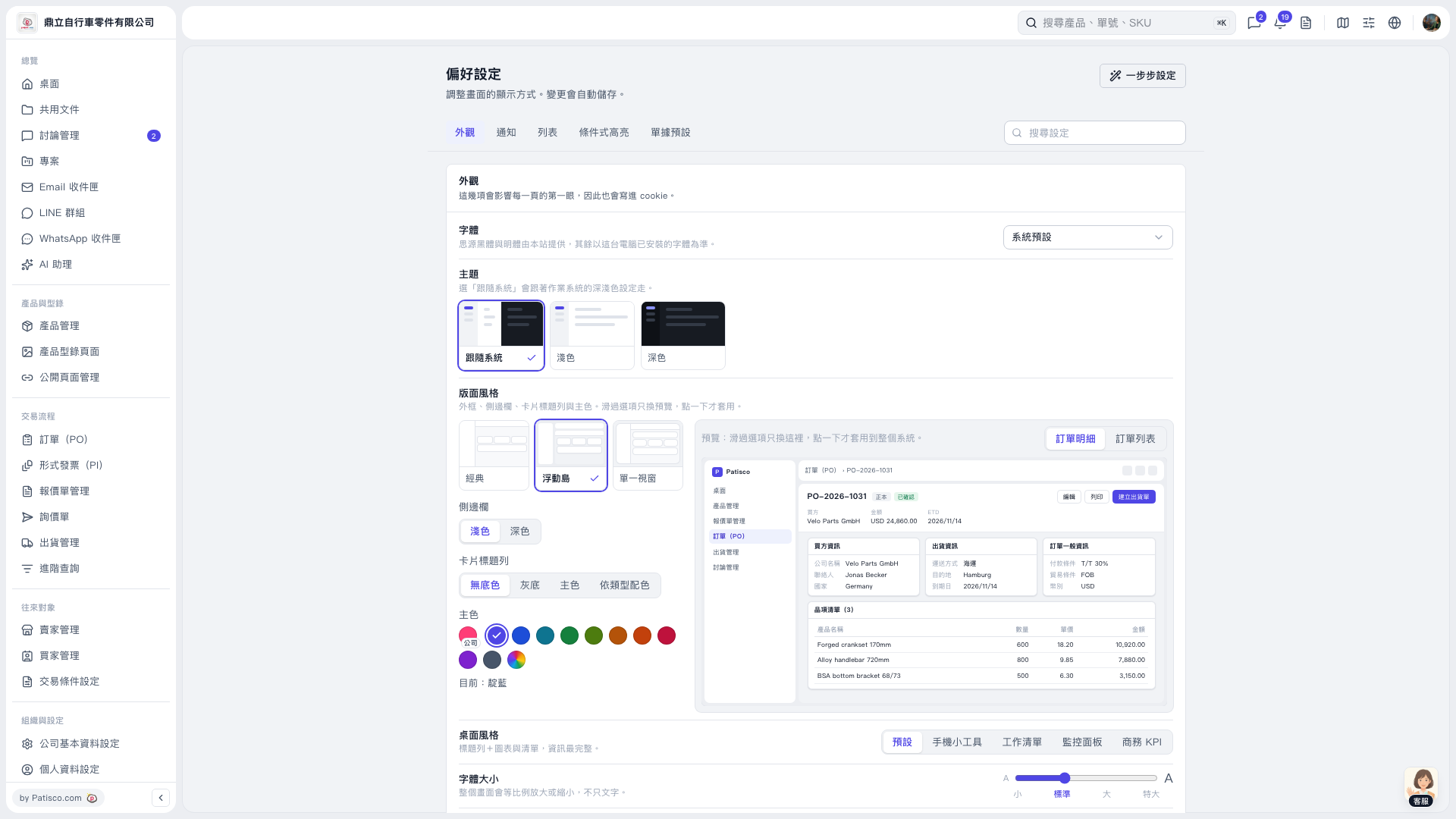
1. Open the "Preferences" page from the left sidebar or the icon at the top right. 2. Click "Appearance" in the tab bar at the top. 3. Under "Layout style", choose "Classic", "Floating island", or "Single window". Hovering over an option only shows a preview on the right. 4. Click the option you want to apply it to the whole system. 5. If needed, scroll down to set "Sidebar" (light/dark) and "Card title bar" (no fill / gray / primary color / color by type), and click a primary color swatch. Changes are saved automatically. You do not need to click Save.
 V5 新桌面版|偏好設定