
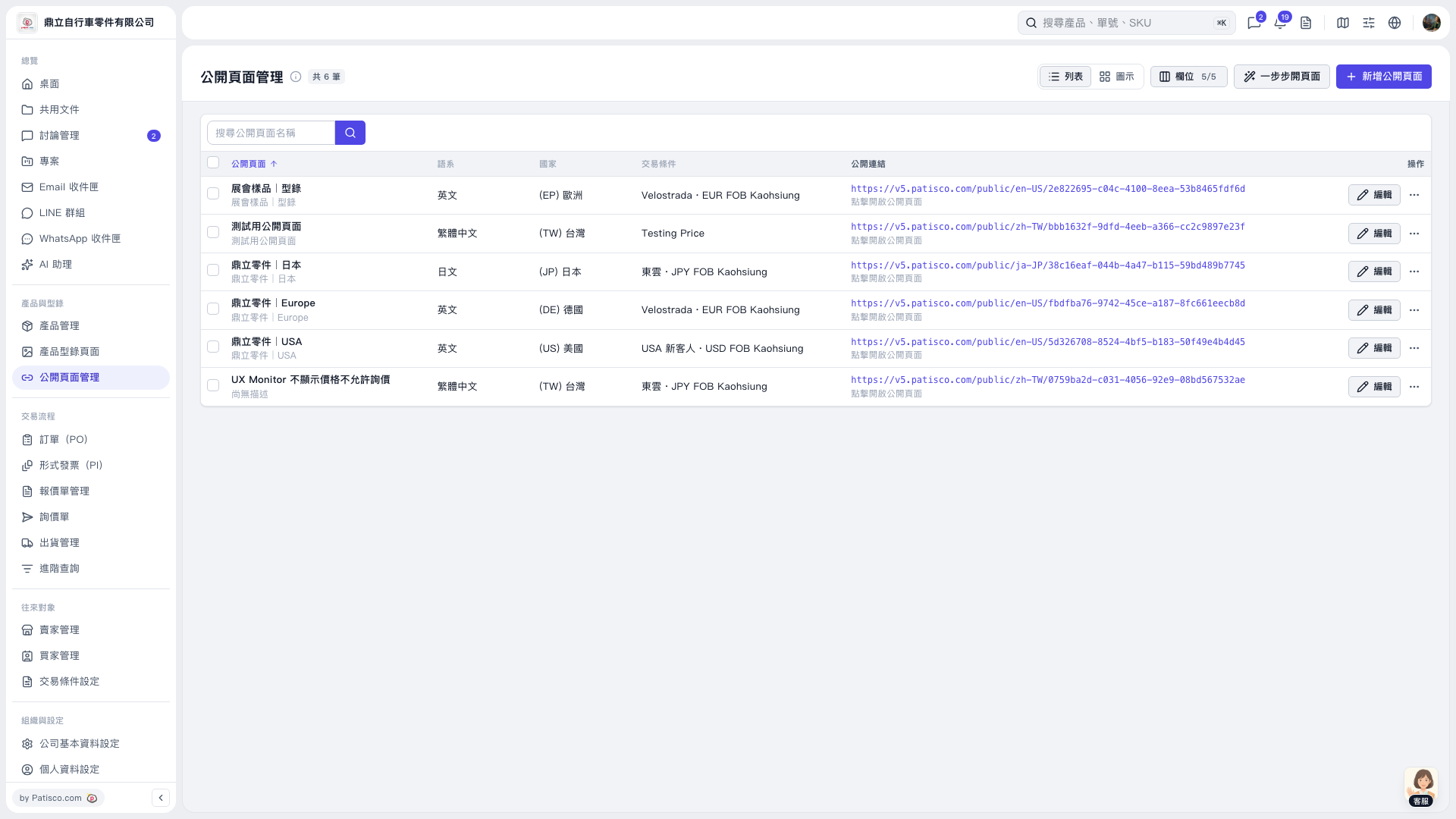
1. Go to the "Public Page Management" list and find the row for that page. 2. In the "Public link" column, copy the link or click it directly to open the public page that visitors see and confirm that it displays correctly. 3. To edit it, click [Edit] on the right side of that row. For other actions, click [⋯] at the far right. 4. If there are many pages, enter the public page name in the search box at the top left of the table, then click search. In addition, [List / Icon] at the top right switches the view, and [Columns] lets you choose which columns the table shows (Public page, Language, Country, Trading conditions, Public link, Actions).
 V5 新桌面版|公開頁面管理