
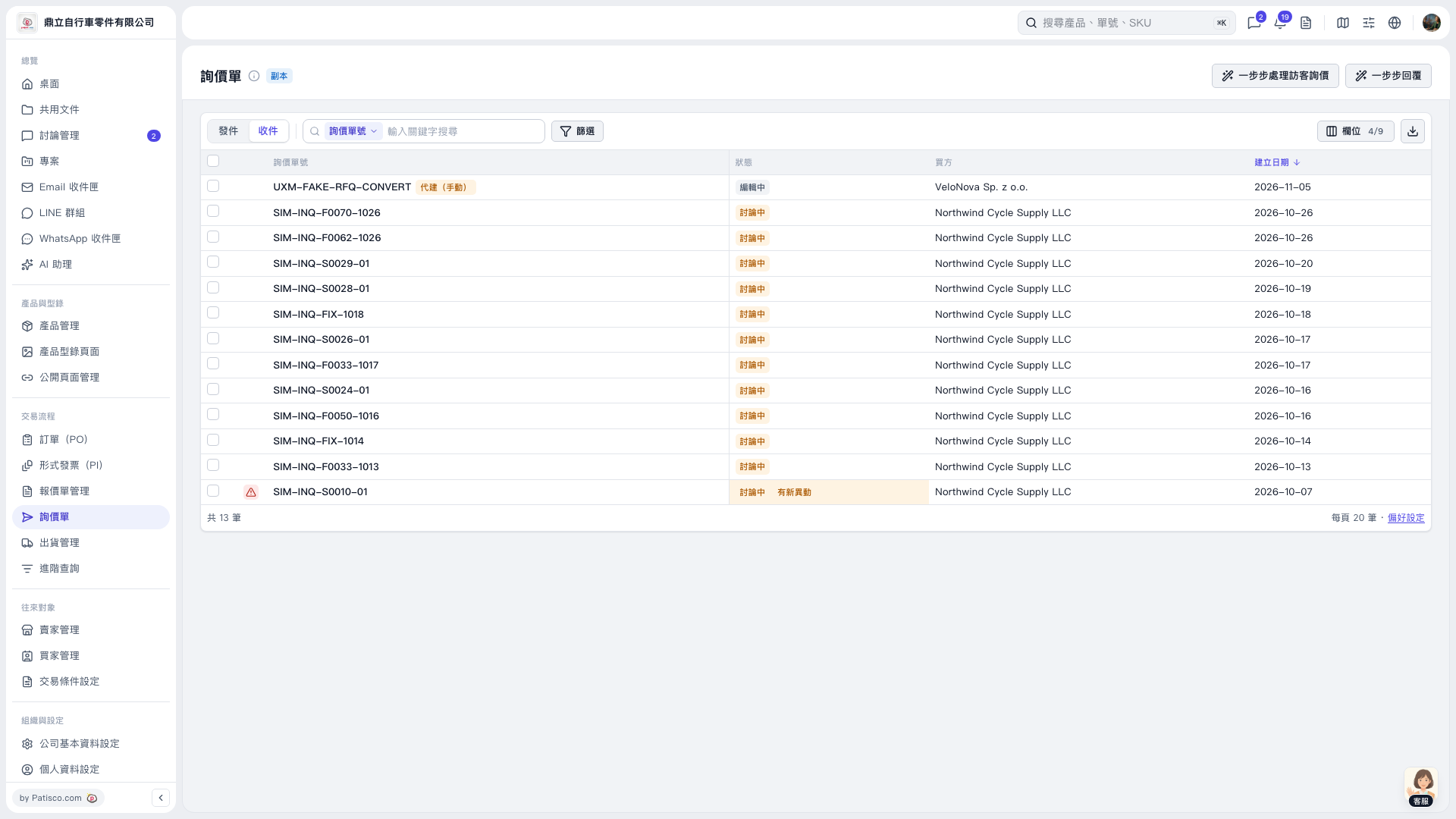
1. In the left sidebar, click [Inquiry] under "Trade Flow". 2. At the top left of the list, switch to the "Received" tab to see the inquiries you received. The "Sent" tab next to it shows the ones you sent out. 3. The list shows columns such as inquiry number, status, buyer, and creation date. To show more or fewer columns, click the [Columns] menu at the top right. 4. To find a specific inquiry, choose a search field (for example, inquiry number) in the top toolbar and enter a keyword, or click [Filter] next to it to narrow the results. 5. If the status column shows a "New activity" mark or a warning icon, handle it first. Click the inquiry number to open the detail page, view the content, and reply.
 V5 新桌面版|詢價單