
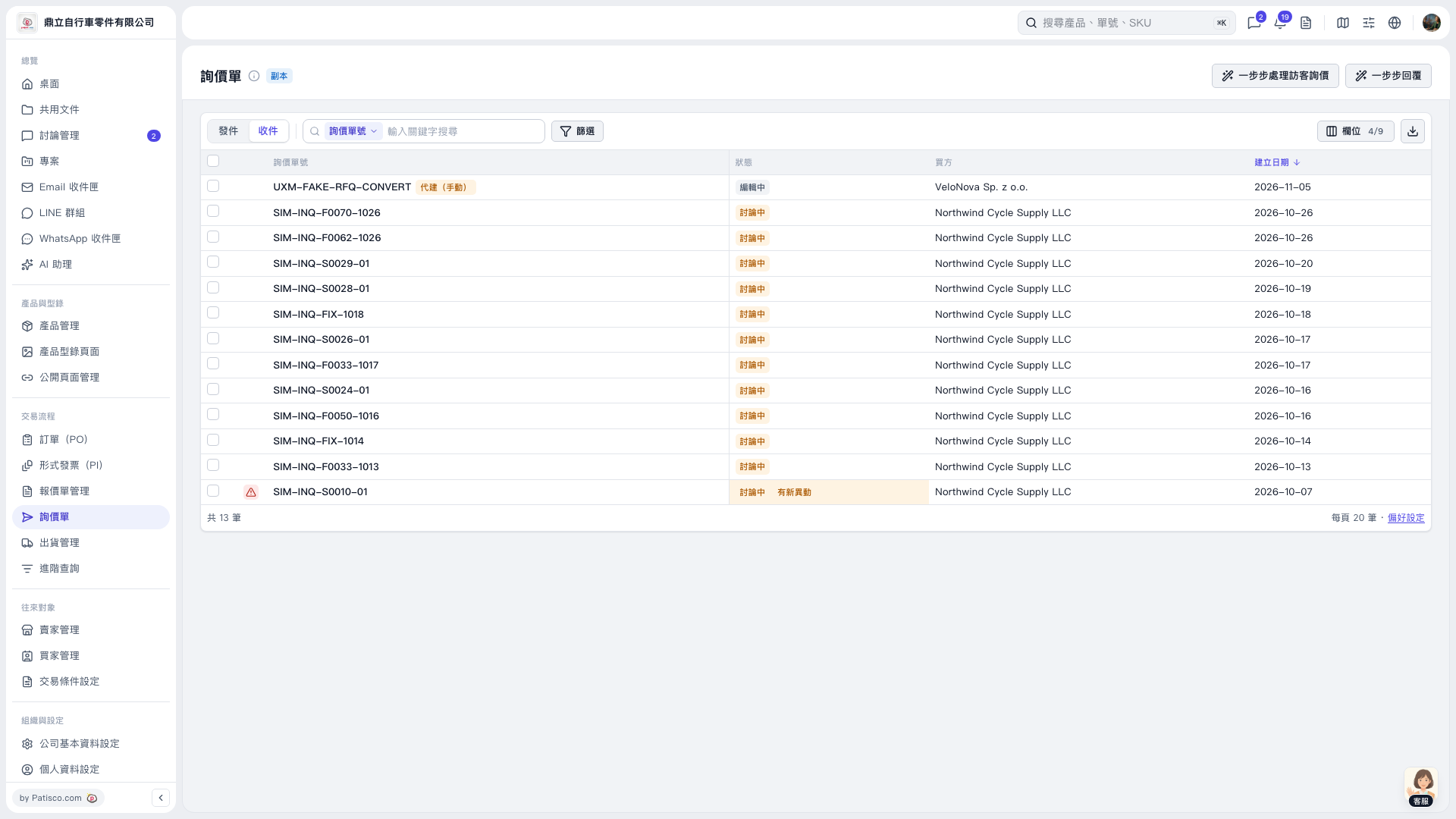
1. In the left sidebar, go to [Inquiry] under "Trade Flow". Two buttons, [Step-by-step visitor inquiry handling] and [Step-by-step reply], appear at the top right (page header). 2. To reply to an inquiry in a guided way, click [Step-by-step reply] and follow the wizard steps. 3. To handle inquiries submitted by visitors, click [Step-by-step visitor inquiry handling]. 4. If no visitor inquiries appear when you open it, the empty state tells you to turn on [Negotiable] first and provides an entry for [Open a public page], so you can create a public page from there first. 5. [Step-by-step visitor inquiry handling] appears on the [Inquiry] page. The [Quotation Management] page does not have this button.
 V5 新桌面版|詢價單