
Carton numbers are assigned inside a shipping document you have already created. There is no separate wizard for this. Steps: 1. Open the "See the whole company" page and click "Shipping" in the "Departments" panel on the left. The map will focus on the Shipping department. 2. Click the carton number labeling machine on the map. The "Machine" panel on the right will show its description. 3. In the panel, click [Open [Carton numbers (in the shipping document)]]. This takes you to the carton number function of the corresponding shipping document. 4. To go back to the machine list of the Shipping department, click [‹ Shipping] at the top of the right panel. Also, the carton number labeling machine's panel does not have a [Create a shipping document] card, and there are no shipping marks. Please work directly from within the shipping document.
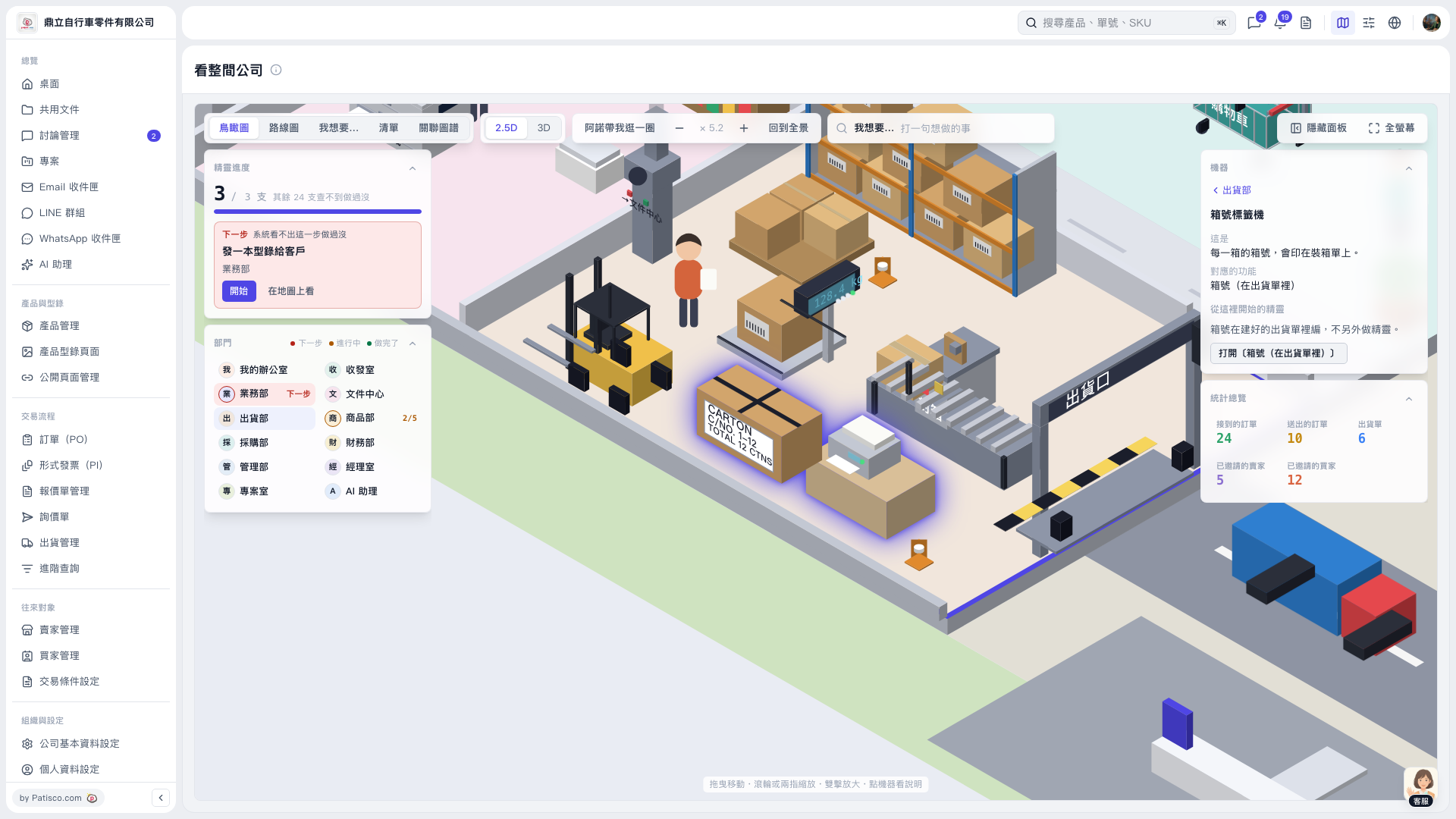 V5 新桌面版|看整間公司