
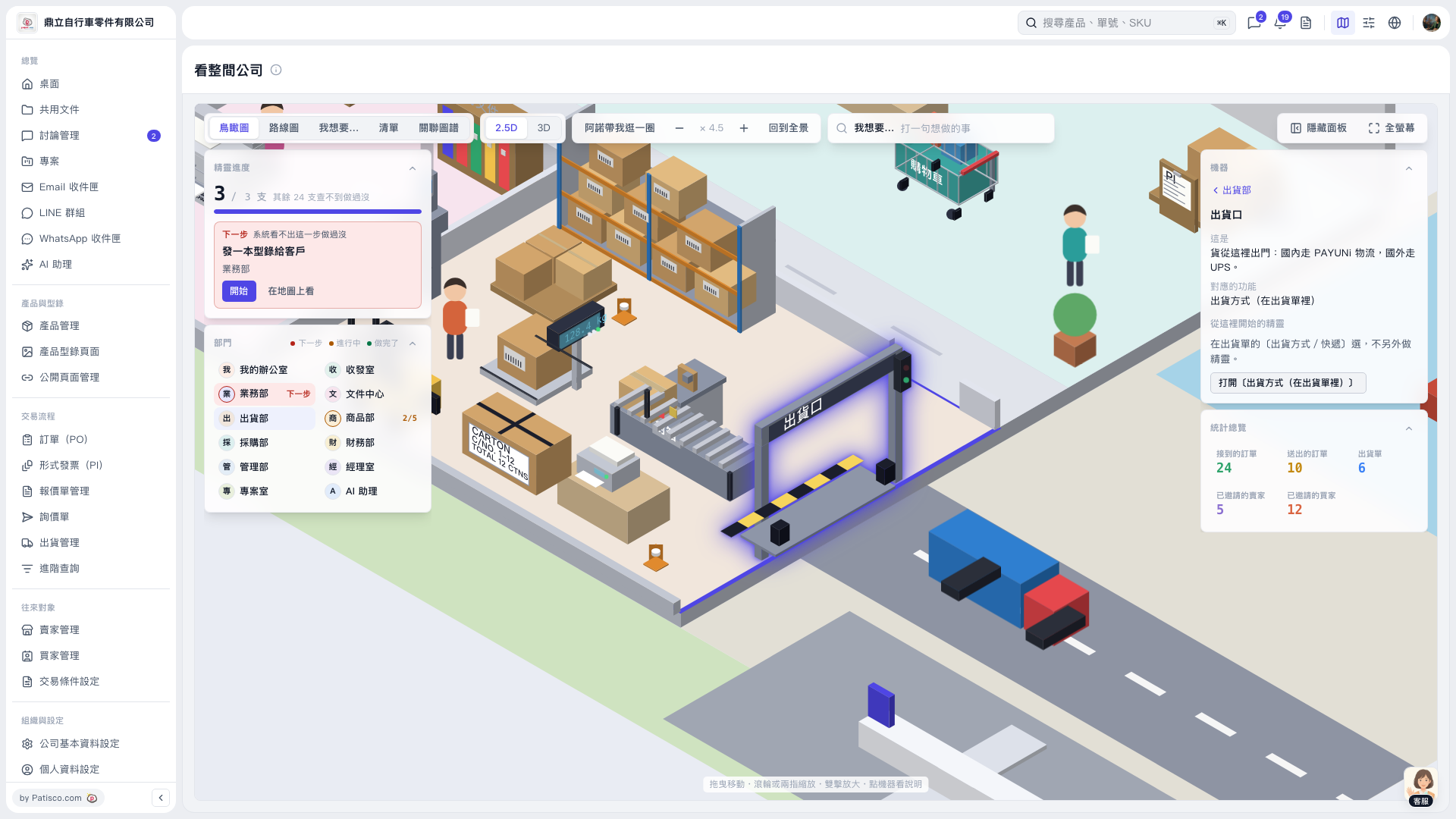
1. Go to the "See the whole company" page (URL /office) and first make sure the map is in "Bird's-eye view". 2. In the "Departments" panel on the left, click [Shipping Department]. The map jumps to the Shipping Department. You can also click the Shipping Department directly on the map. 3. In the "Machines" panel on the right, click [Shipping Gate]. You will see what this machine is for, the features it corresponds to, and the wizards you can start from here. 4. To go back to the machine list of the Shipping Department, click [‹ Shipping Department] at the top of the right panel. You can ask the AI assistant: "What is the Shipping Gate for?" The AI will reply: "Goods leave the company from here: PAYUNi logistics for domestic shipments, UPS for overseas."
 V5 新桌面版|看整間公司