
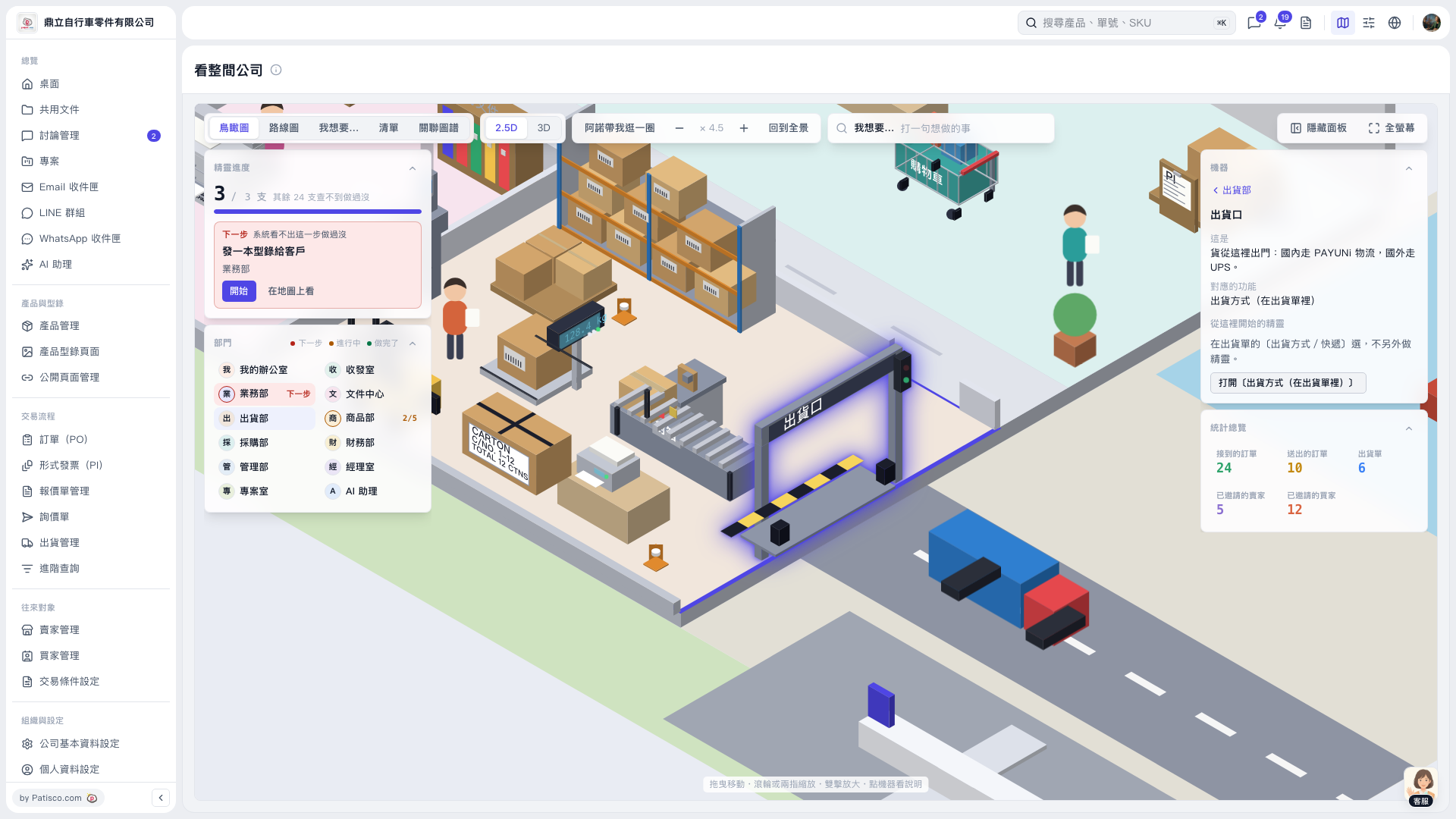
1. On the "See the whole company" page, click [Shipping Department] in the "Departments" panel on the left, then click [Shipping Gate] in the "Machines" panel on the right. 2. After reading the machine's purpose, its corresponding features, and the wizards you can start from here, scroll to the bottom of the "Machines" panel on the right. 3. Click [Open [Shipping method (in the shipping order)]]. You will go to the place in the shipping order where the shipping method is set. If you are not sure where to go, you can also type what you want to do in the "I want to..." search box at the top of the map, and the system will take you to the matching feature. Or click [Arno, show me around] and follow the tour.
 V5 新桌面版|看整間公司