
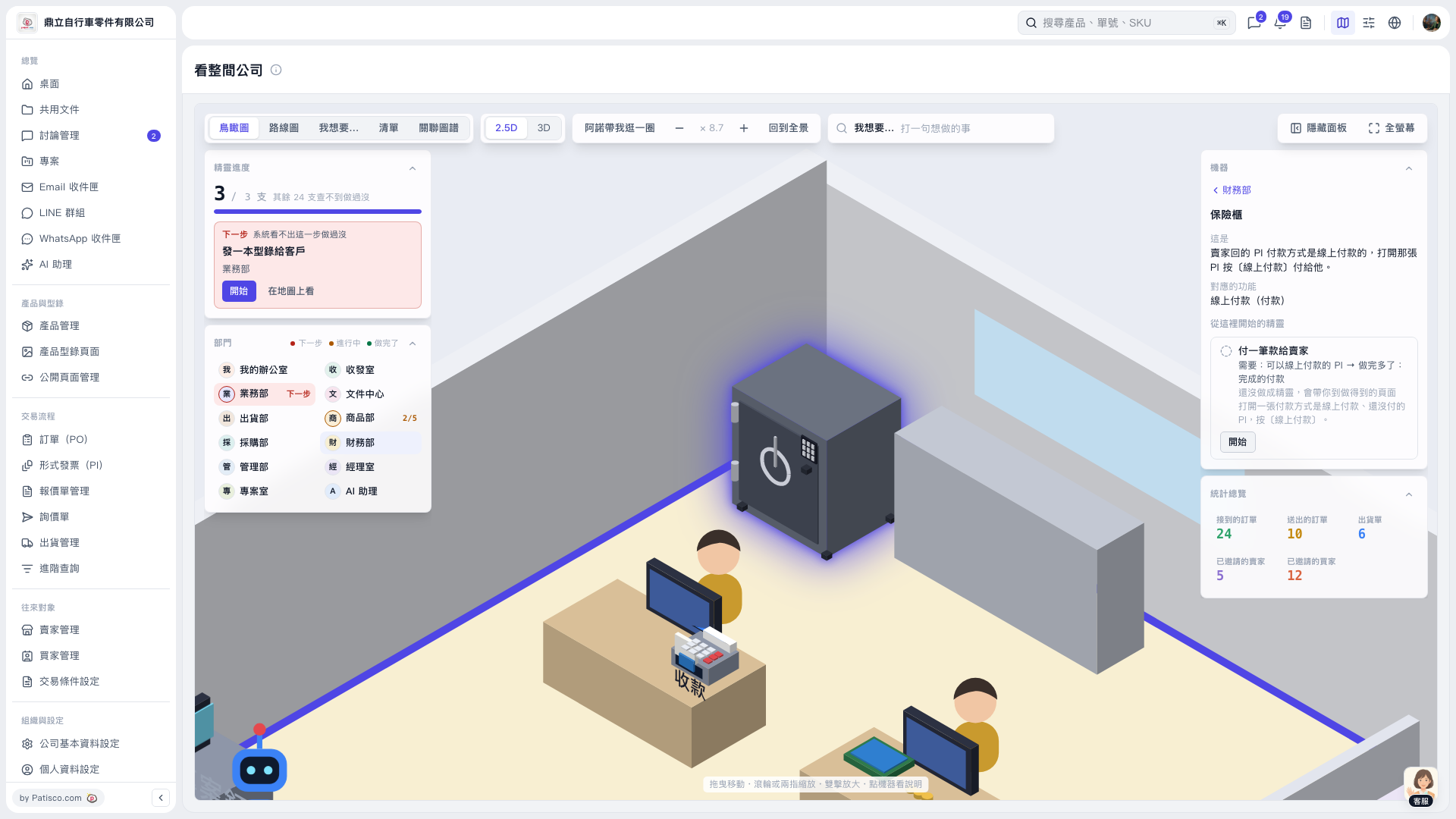
1. Go to the "See the whole company" page and click "Finance Department" in the "Departments" panel on the left. The map jumps to the Finance Department area. 2. Click a machine on the map (for example, the safe). The "Machines" panel on the right shows its purpose and the features it corresponds to. 3. In "Wizards you can start from here" on the right, find "Pay a seller" and click "Start". 4. Follow the wizard's guidance: open a PI whose payment method is online payment and which has not been paid yet, then click [Online payment]. Note: This item is labeled "Not a wizard yet; it will take you to a page where you can do it". So after you click "Start", you are taken to a page where you can carry out the action, and you complete the payment yourself. You can ask the AI assistant: "What is the safe for?" The AI will explain that the safe corresponds to [Online payment].
 V5 新桌面版|看整間公司