
1. In the left sidebar, under "Products & Catalogs", click "Public Page Management". 2. Find the page you want to view in the list. If there are many pages, type the public page name in the search box above the table and click the magnifier button to search. 3. Click the URL in the "Public link" column of that row, or click "Click to open public page", and the public page as visitors see it opens in a new tab. 4. To change the settings, go back to the list and click "Edit" on the right of that row. On the list you can also use "List / Icons" to switch the view, and "Columns 5/5" to decide which columns the table shows (Public page, Language, Country, Trading condition, Public link, Actions).
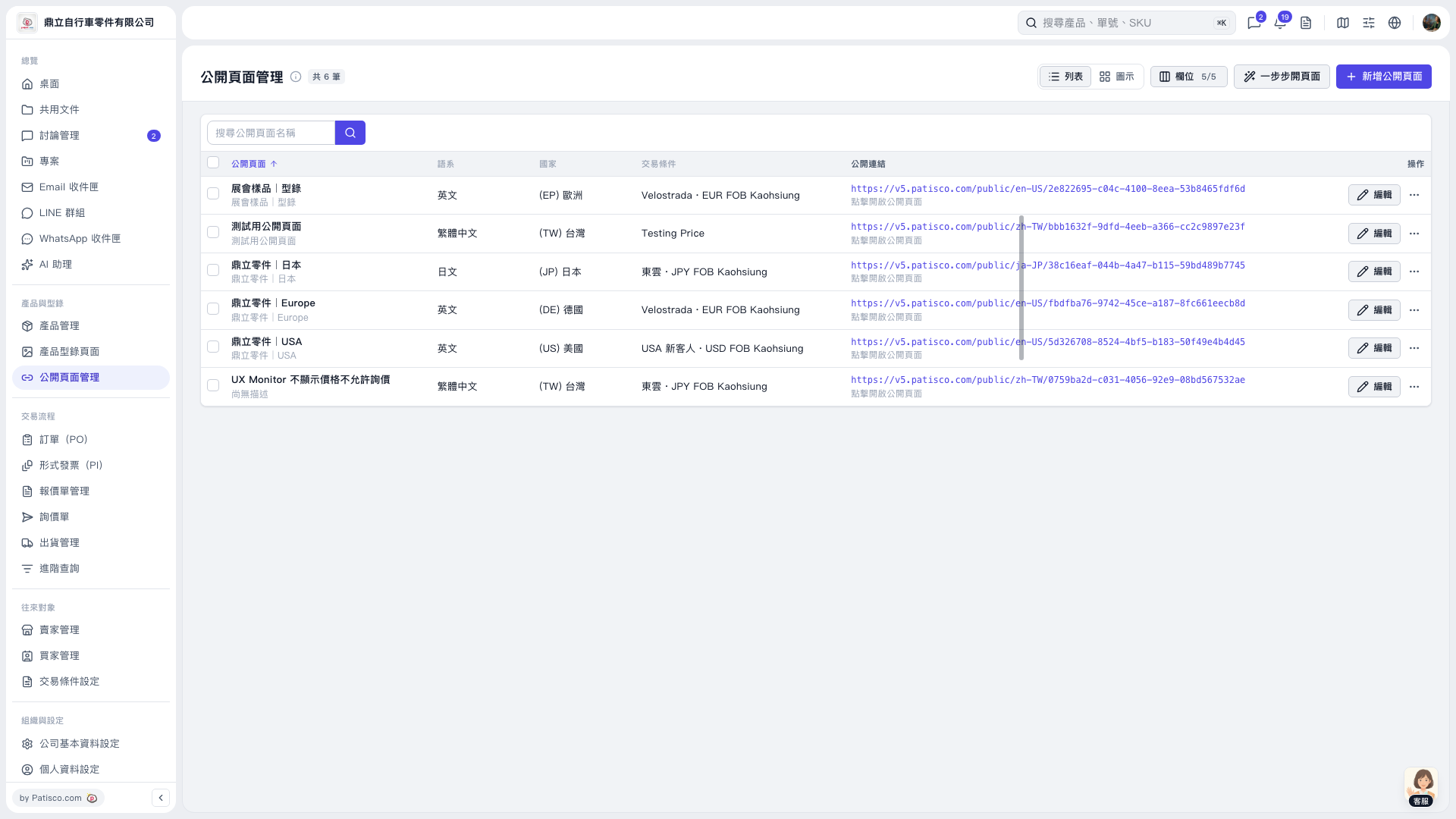 V5 新桌面版|公開頁面管理