
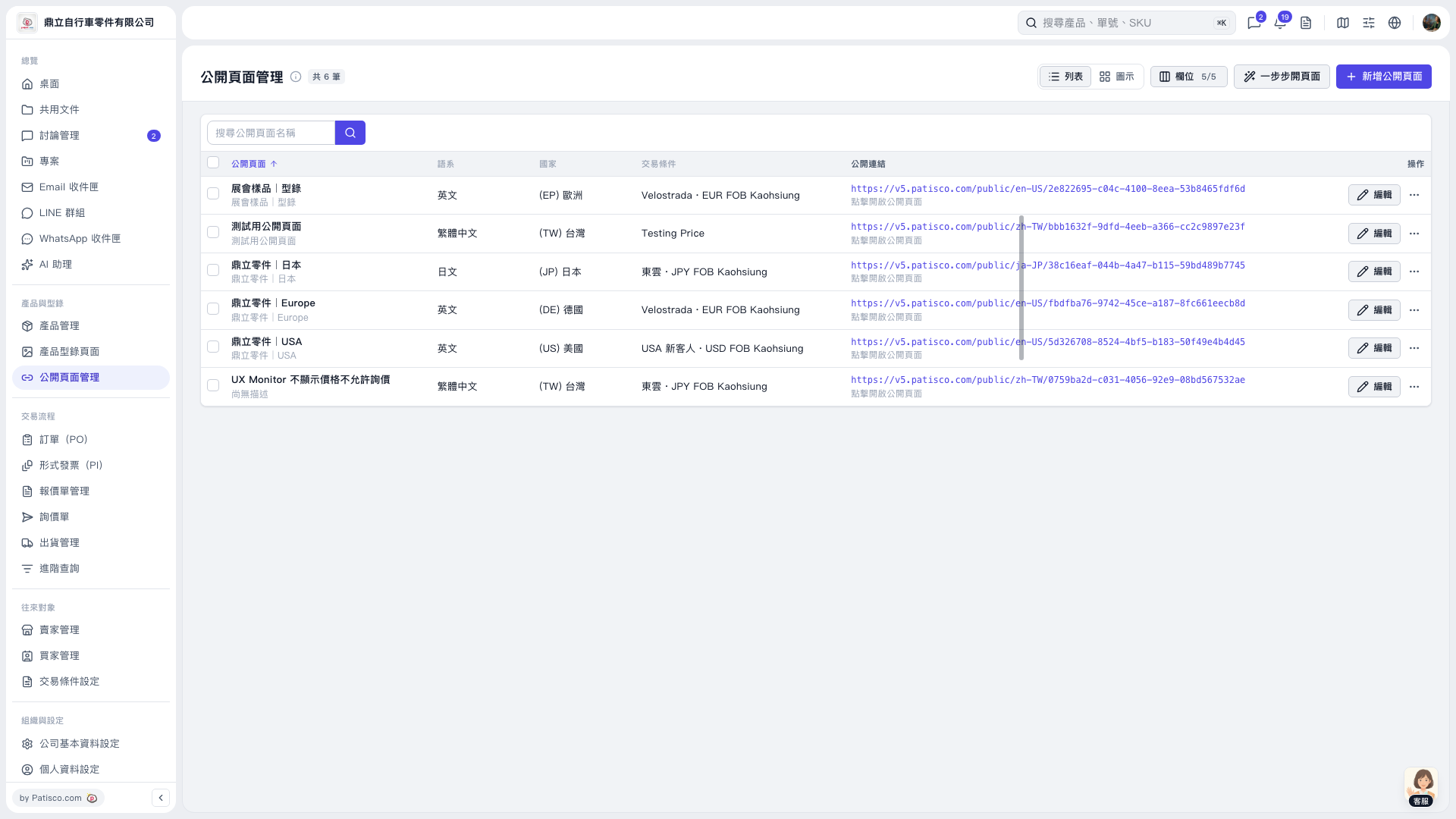
1. In the left sidebar, under "Products & Catalogs", click "Public Page Management". 2. Click "Open a page step by step" at the top right, to the left of "New public page", and follow the guide step by step. If you would rather create it manually, click "New public page" instead. 3. In the wizard, choose the catalog and trading condition you want to make public. Depending on the combination you choose, [Ordering allowed] and [Inquiry allowed] may be disabled. For example, if you choose a catalog that does not show prices together with a non-negotiable trading condition, the screen shows the message "Visitors can only view, and cannot order or send inquiries", and the step summary says "View only". 4. If you want visitors to be able to order or send inquiries, click [Go to Trading Condition Setting] next to the message and adjust the trading condition. If visitors only need to browse, just click [Next] to continue. If you leave the wizard without finishing, no public page is created.
 V5 新桌面版|公開頁面管理