
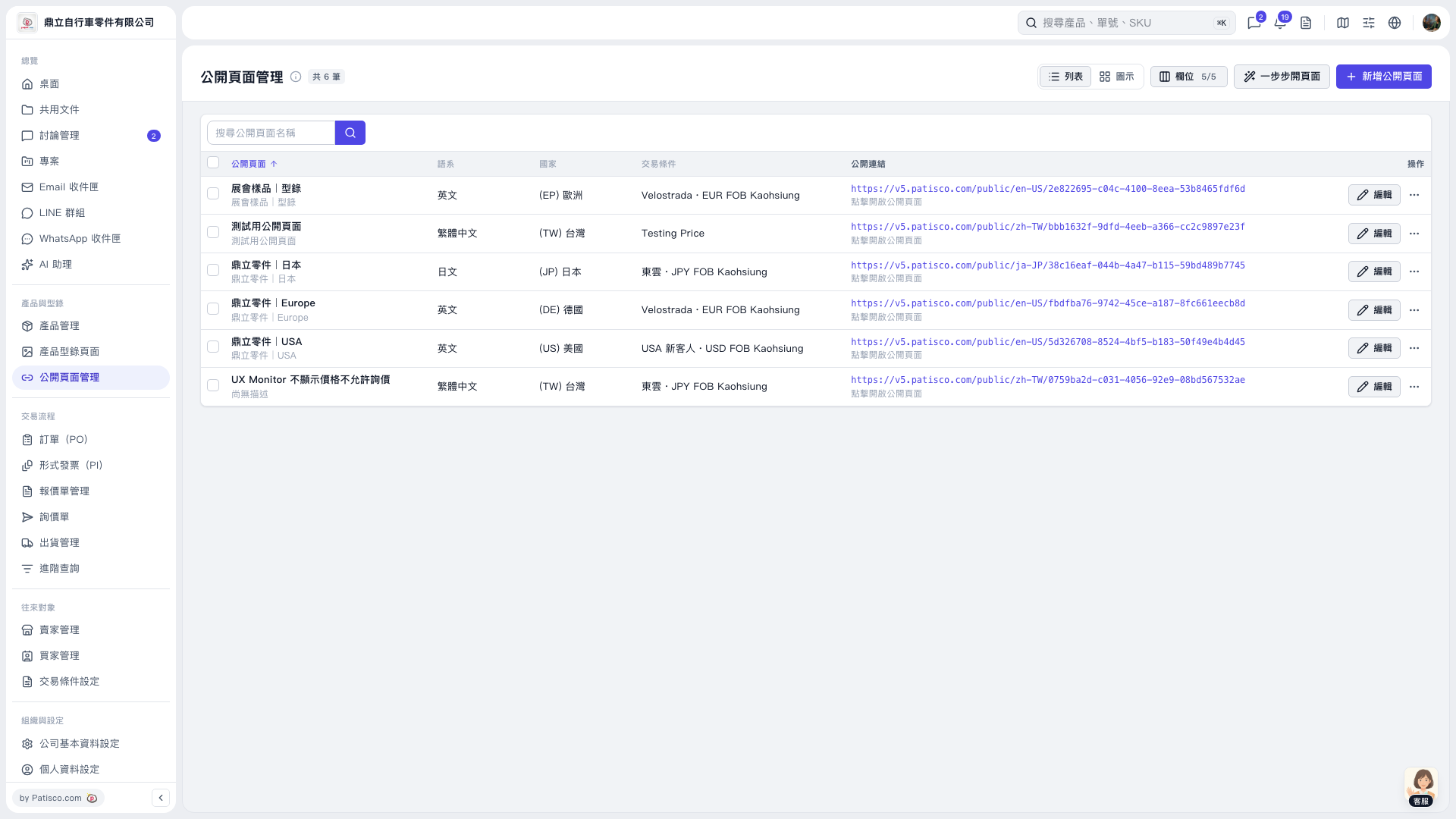
1. Go to "Public Page Management" and find the public page in the list. 2. First check the language, country and trading condition in that row to make sure the settings are correct. 3. Click the URL in the "Public link" column of that row. It opens in a new page, and you can see exactly what buyers see. 4. To make changes, click "Edit" on the right of that row; other actions are under the "⋯" at the far right. 5. To create a new page, click "Add public page" at the top right to create one manually, or click "Create a page step by step" on the left and follow the wizard. Also, if you use "Create a page step by step", reach the confirmation page, and then leave by clicking [Discard changes] without clicking [Create public page], no new public page is created. You can ask the AI assistant: "Can visitors of this public page place an order or send an inquiry?" The AI will answer: Visitors can only view the page. They can't place an order or send an inquiry, because the catalog doesn't show prices and the trading condition doesn't have [Negotiable] turned on.
 V5 新桌面版|公開頁面管理