
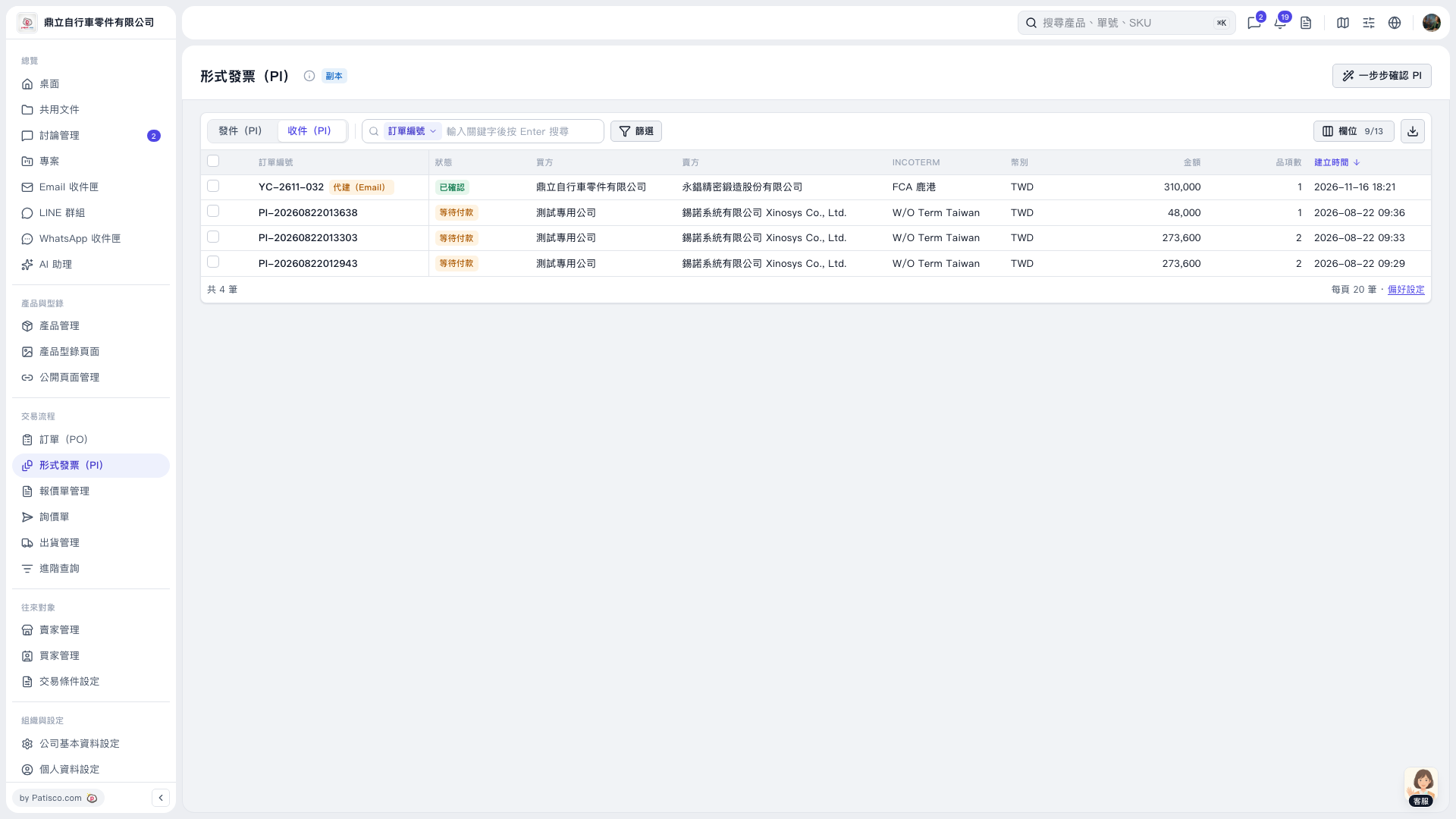
1. In the left sidebar, under "Trade Flow", click "Proforma Invoice (PI)" and switch to the "Received (PI)" tab. 2. In the list, check the "Status" column to see whether this PI is confirmed or [Awaiting payment]. 3. To check the contents, click the order number in that row to open the details page. 4. The list also shows the buyer, seller, INCOTERM, currency, amount, number of items and created time. To adjust which columns are shown, use the "Columns" setting at the top right of the list.
 V5 新桌面版|形式發票(PI)