
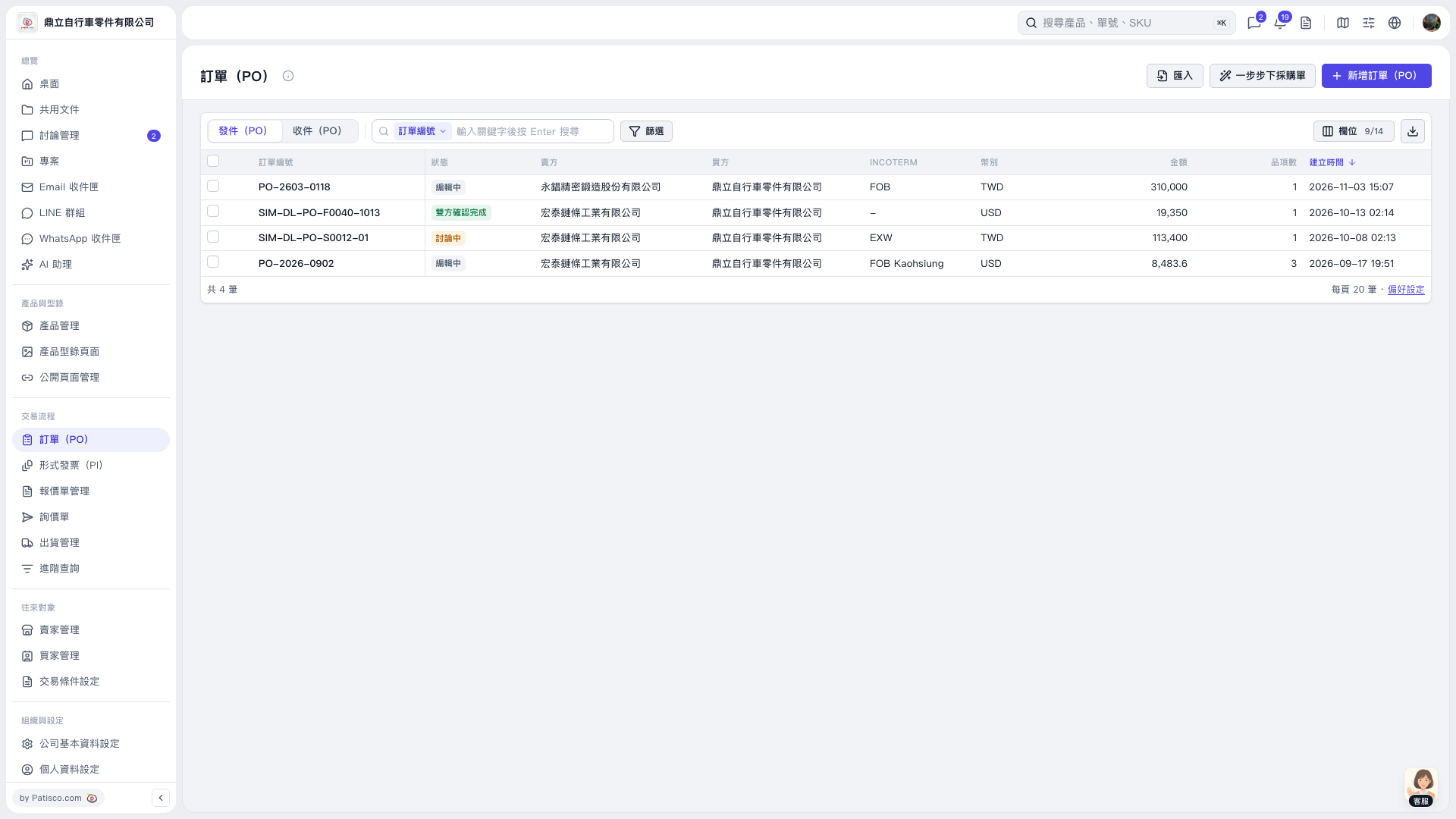
1. In the left sidebar, under "Trade Flow", click "Orders (PO)" to open the list. 2. Look at the tabs at the top left of the list: "Sent (PO)" shows the POs you sent, and "Received (PO)" shows the POs you received. 3. The list shows columns such as checkbox, order number, status, seller, buyer, INCOTERM, currency, amount, number of items and created time. 4. Click an order number in the list to open the order, view its details, and continue handling it according to its status (Editing, In discussion, Confirmed by both parties).
 V5 新桌面版|訂單(PO)