
Finding an order: 1. In the search box on the toolbar above the list, choose a search field (for example, order number), type a keyword and press Enter. 2. To filter by conditions, click [Filter] on the right of the search box and set the conditions. 3. If the list has too many or too few columns, click [Columns] at the top right to customize which columns are shown. [Preferences] at the bottom right of the list lets you adjust the number of rows per page. Creating a new order: 4. To fill it in directly, click the blue main button [New PO] at the top right. 5. For step-by-step guidance, click [Place a PO step by step] to its left. 6. If you already have existing data, click [Import] at the top right to import order data in bulk.
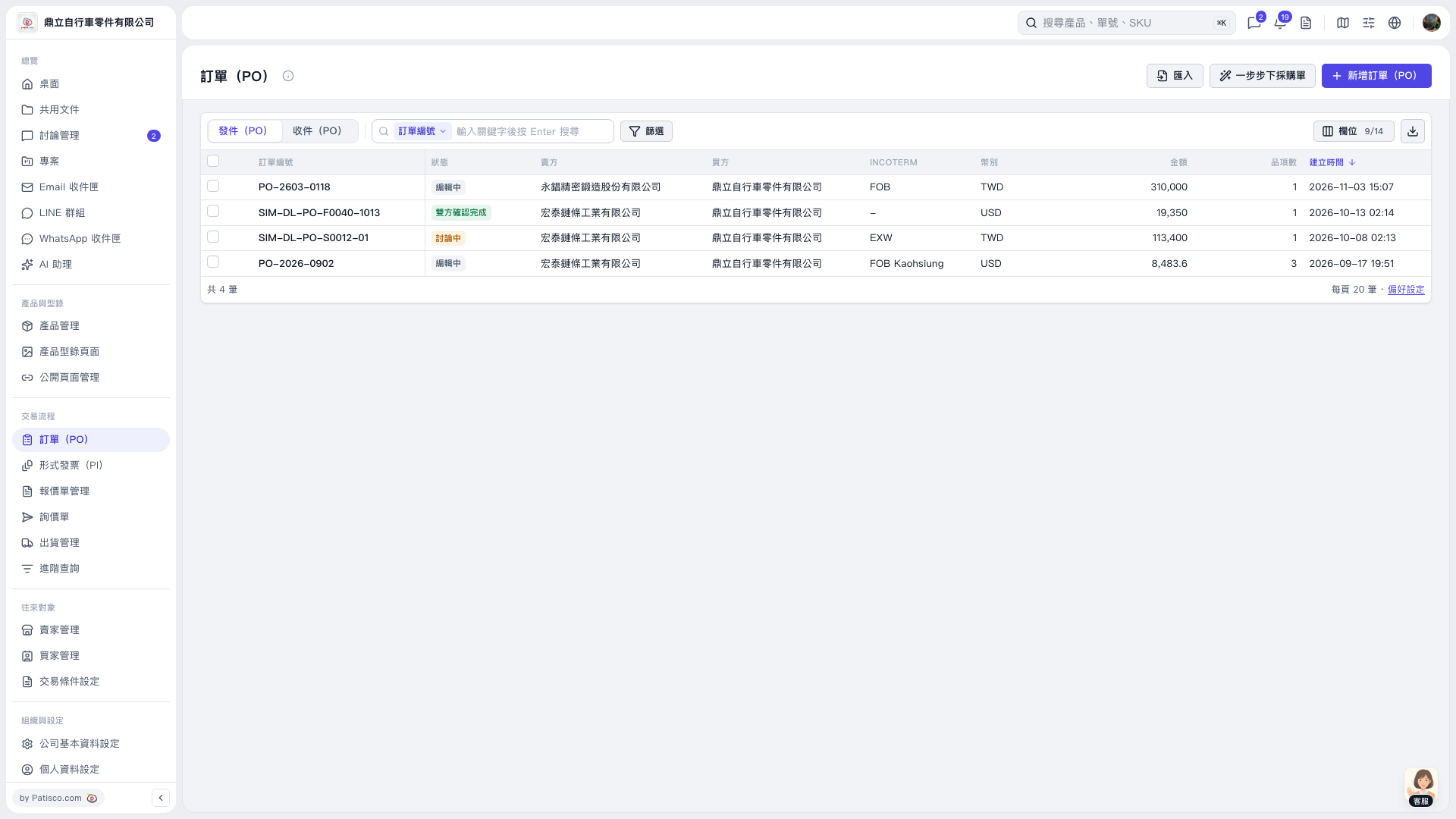 V5 新桌面版|訂單(PO)