
1. Click “Item List” to check the unit prices, quantities, and subtotals of the items. 2. To add an existing item, click “Add Item.” To create a new item, click “Create Item.” 3. To change the item order, click “Sort.” To view the action menu for an individual item, click “⋯” at the far right of its row.
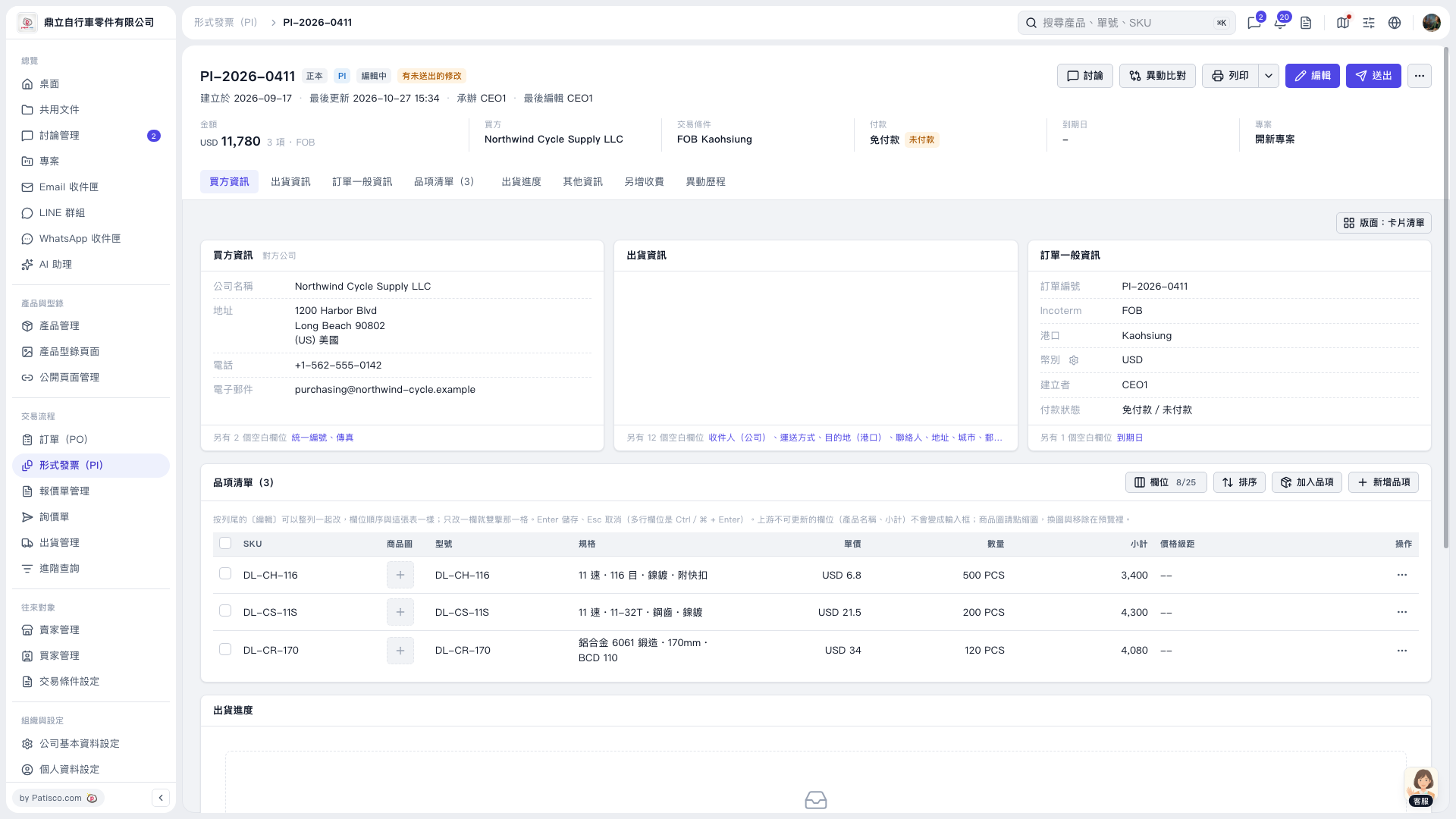 V5 新桌面版|PI-2026-0411