
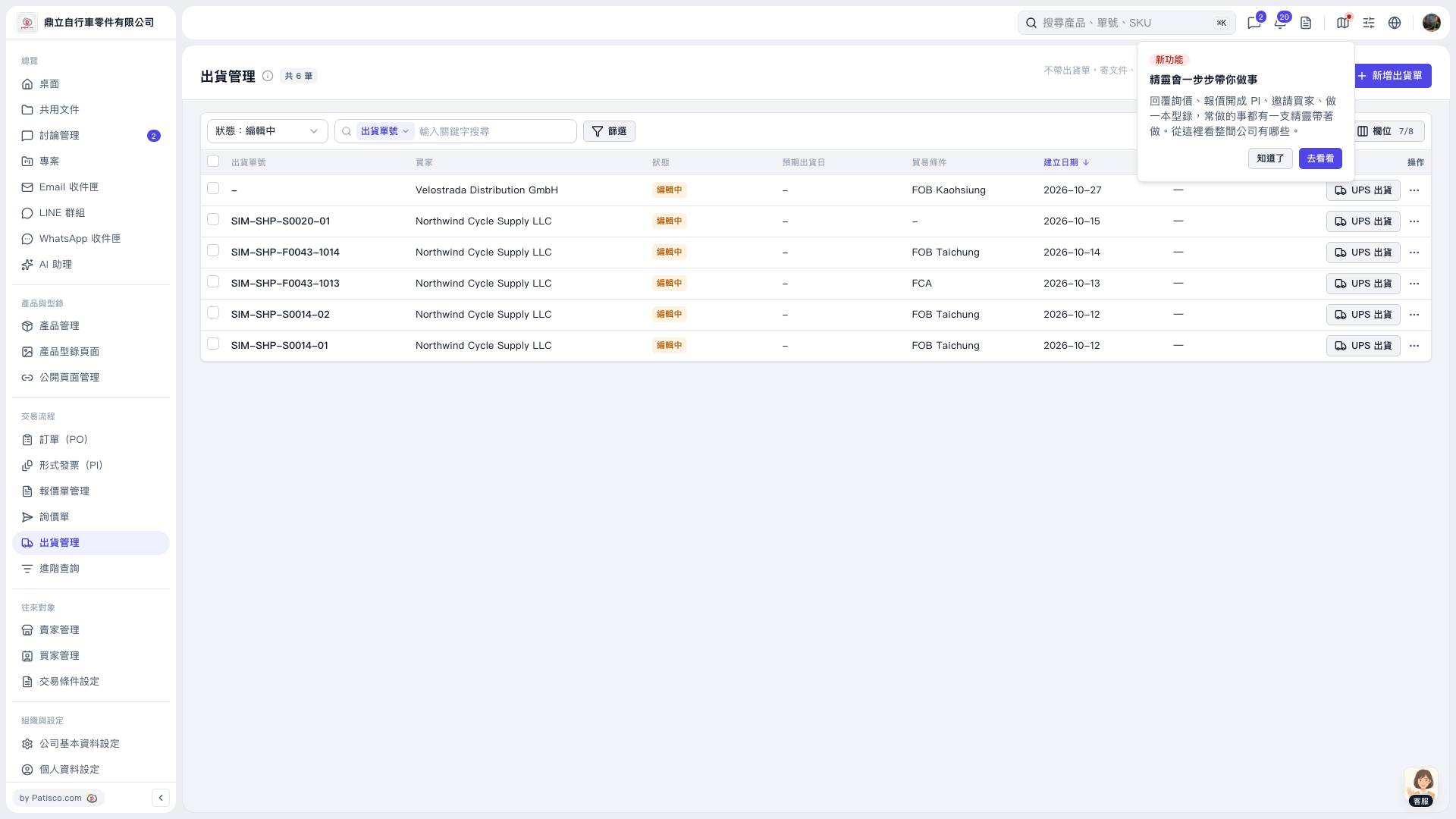
1. On the "Shipping Management" page, if the new feature tip blocks the controls, click "Got It" to close it. 2. Click "Status: Editing" to change the status filter, or select "Shipping Document Number" and enter a keyword to search. If you need other conditions, click "Filter". 3. Confirm the "Buyer", "Status", and "Trading Terms" of the target shipping document. 4. Click "Ship with UPS" on the right side of that row to open the UPS shipping process for this shipping document.
 V5 新桌面版|出貨管理